This article outlines common issues users may encounter when working in Document View in Layer. It focuses on frequently reported errors, likely causes, and general guidance for identifying and resolving problems before escalating them.
Common issues
If your document view does not load and shows this error:
“An unexpected error occurred when loading this element in Document View. Please try again or contact support if the issue persists.”
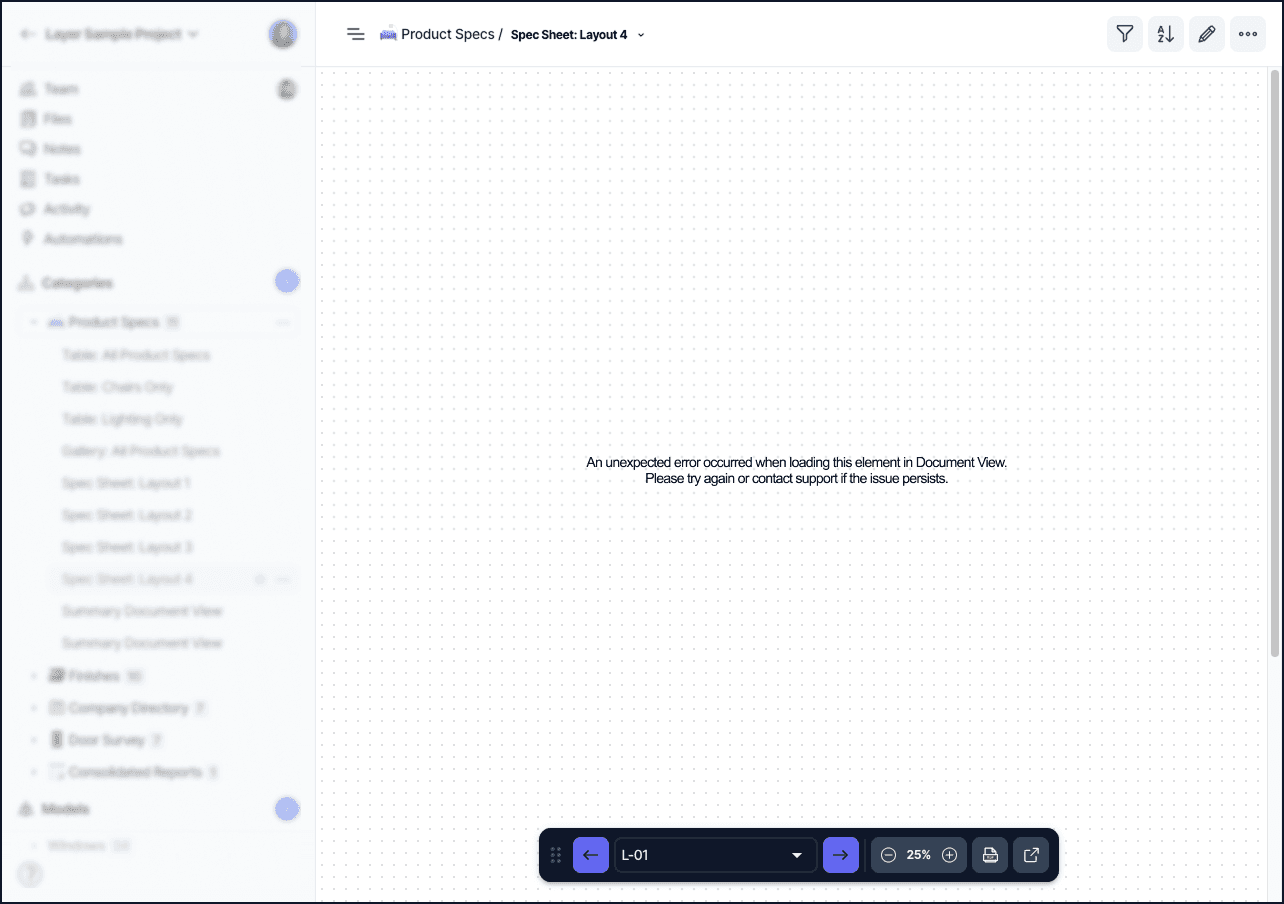
The Document View error message shown when a related-element field cannot be resolved.
There is a bug that our engineers are working on resolving where broken Related Element fields can cause the Document View to error out. This happens when a field is linked to a category that was not included in the template it was created from. Those fields will need to be relinked when the project is created. While our team works to resolve this bug, the fastest way to handle the error is to reconnect your Related Element fields.
To do this, open up your element detail and scroll through the fields. If there are Related Element fields that have been disconnected from a category, they will show up with a red box for the value. Click Complete Setup or open the field’s settings to fix the error.
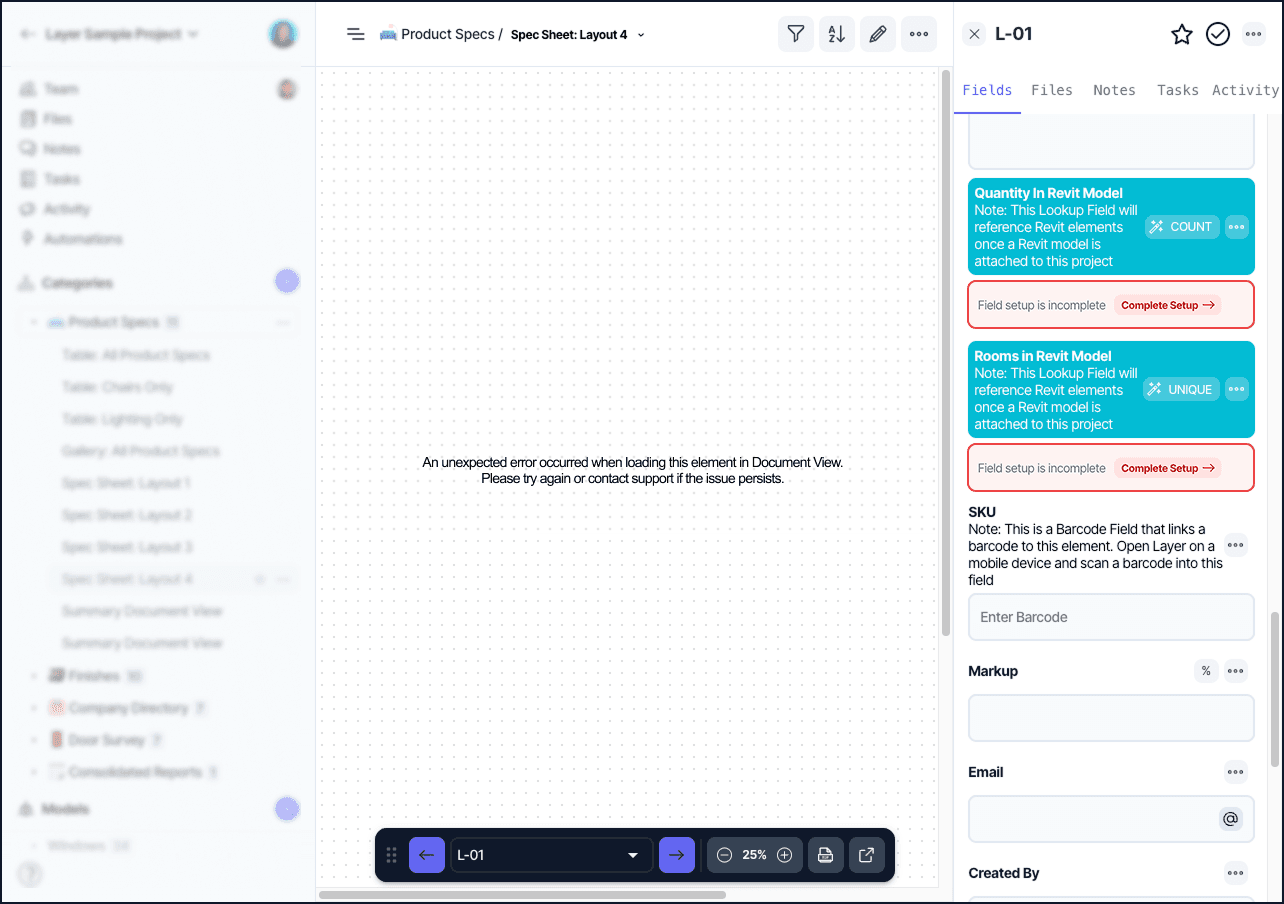
A broken Related Element field highlighted in red on the Element Detail Pane with a Complete Setup prompt.
Add in the information into the Field Settings to reconnect the Related Element or Lookup Field. Once that is done, the red box will go away. Once all the relationship fields have been connected, your report should show up again. Tip: If you’re unsure of the connection, connect any category or field for now to fix the error.
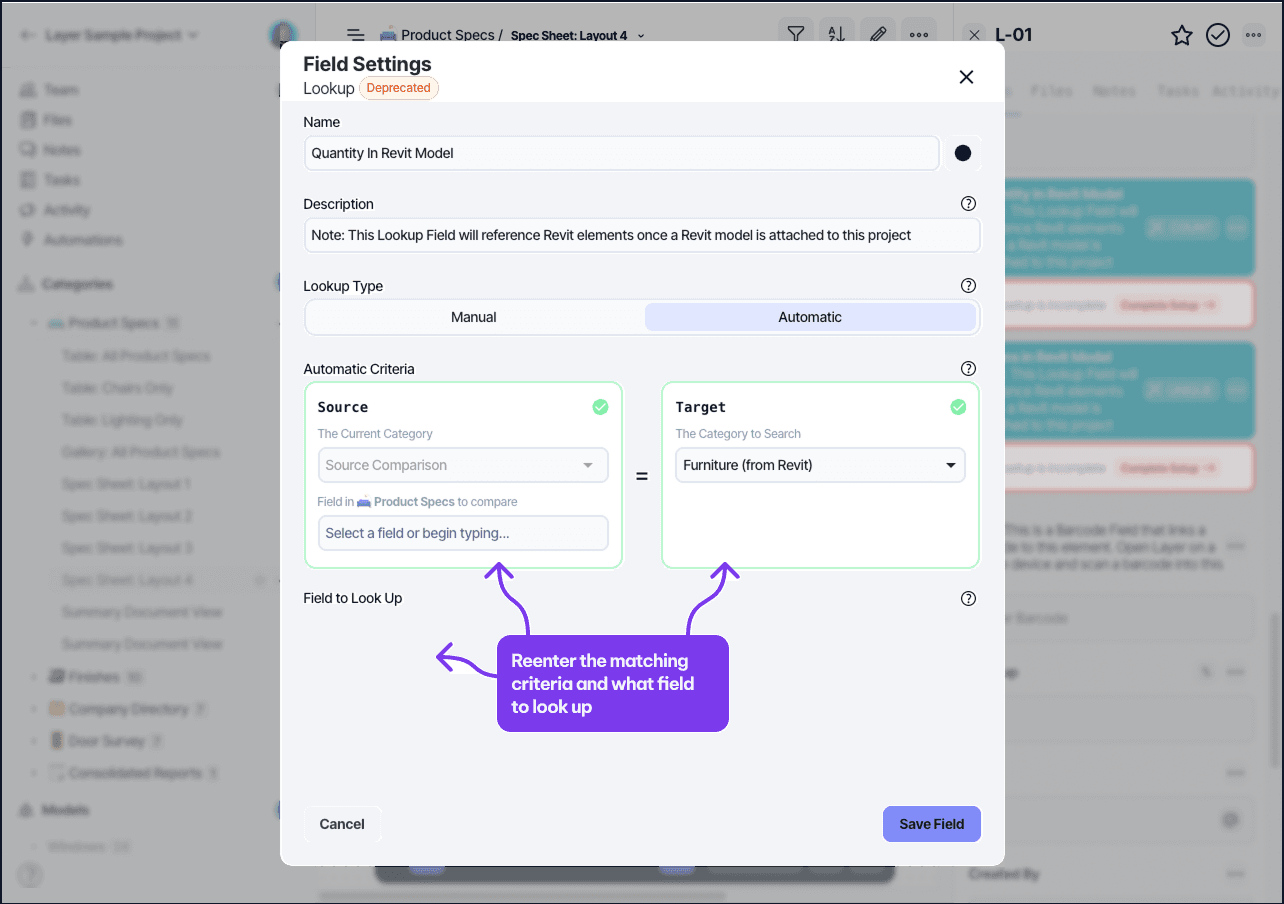
The Field Settings panel used to reconnect a Related Element or Lookup field to a category.
To resolve the issue from happening again, you’ll need to connect the fields or remove them from your template.