Omaha Public Schools
How Omaha Public Schools Coordinates Facilities Operations Across 110 Buildings
Learn how Omaha Public Schools uses Layer to manage work orders, parts inventory, preventive maintenance, surplus requests, and facility use across 110 school buildings with a single, unified platform.
Key Results

110 school buildings managed in a single platform
~300 facilities staff coordinated across trades, dispatch, and supervision
7+ operational workflows unified in one system
"All screenshots and visual examples are included for illustrative purposes only. Facility names, personnel, work order details, inventory records, and all other data depicted in images are intended to be fictitious and do not represent actual Omaha Public Schools campuses, staff, operations, or records. Any resemblance to actual facilities, personnel, or operational data is unintended and coincidental.”
The Challenge: Coordinating Facilities Work Across Nebraska’s Largest District
Omaha Public Schools is Nebraska's largest school district. Its facilities department maintains approximately 110 school buildings and coordinates roughly 300 staff members, including maintenance technicians organized by trade, field foremen, dispatchers, and supervisors.
At that scale, the typical failure mode is fragmentation of siloed information. Work requests tracked in one place, parts inventory managed in another, purchase orders handled by email, and no unified view of what is happening across the district on any given day. School-level staff had no consistent way to report issues or follow up on their requests. Dispatchers lacked a structured intake process. Technicians arrived at jobs without reliable information. Leadership had limited visibility into district-wide workload or performance.
OPS needed a platform that could unify every layer of the operation without requiring the department to change how it already worked. It needed a system that flexed and could be actively built around how operations exist today.
The Solution: A Single Platform Built Around the District's Own Workflows
Omaha Public Schools implemented Layer as its centralized system for facilities operations. Rather than retrofitting the department to fit a rigid tool, OPS configured Layer to match the structure and processes its team already followed. The queues, the fields collected on each work order, the routing logic, and the approval steps all reflect the district's own operational model.
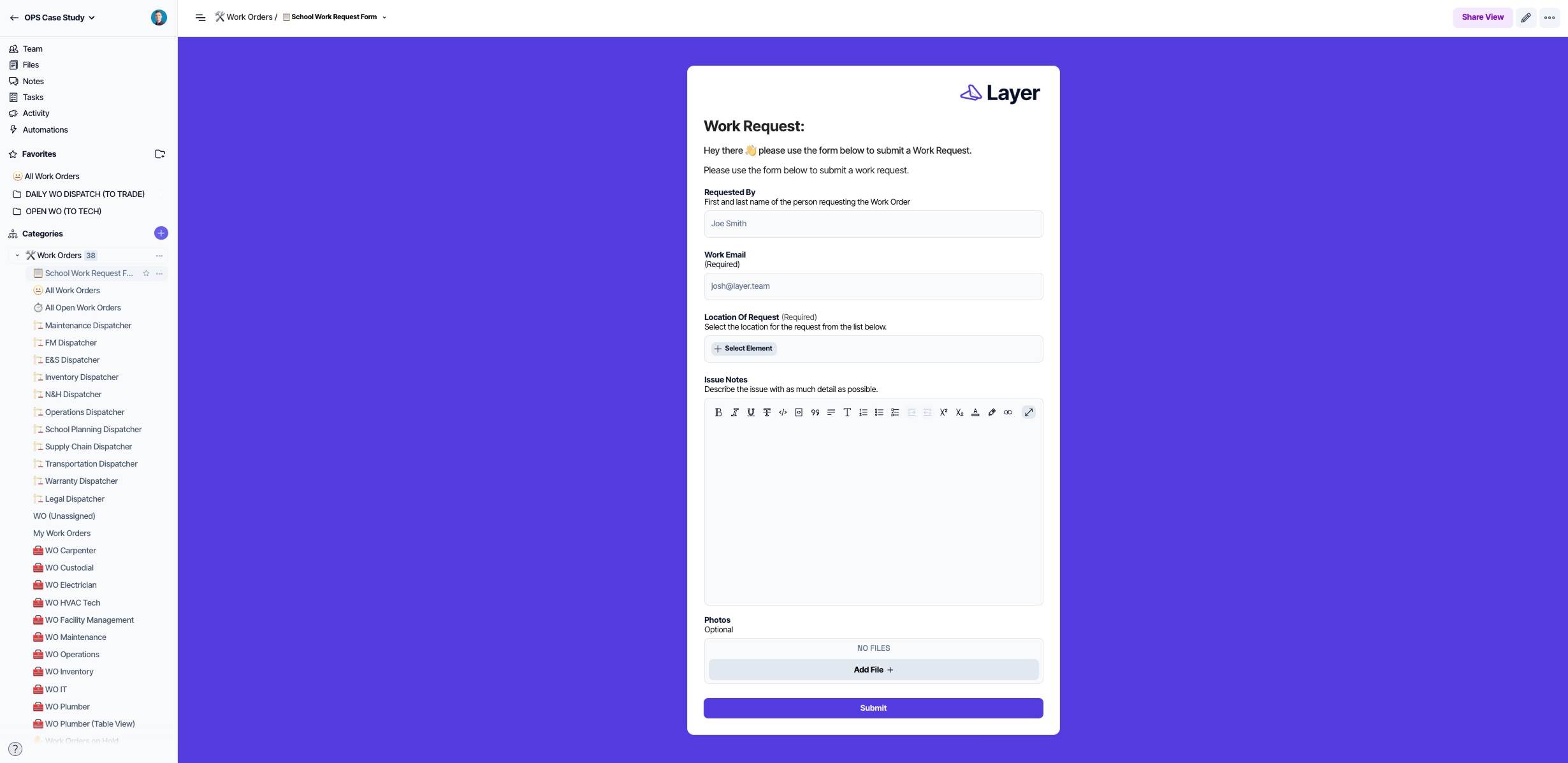
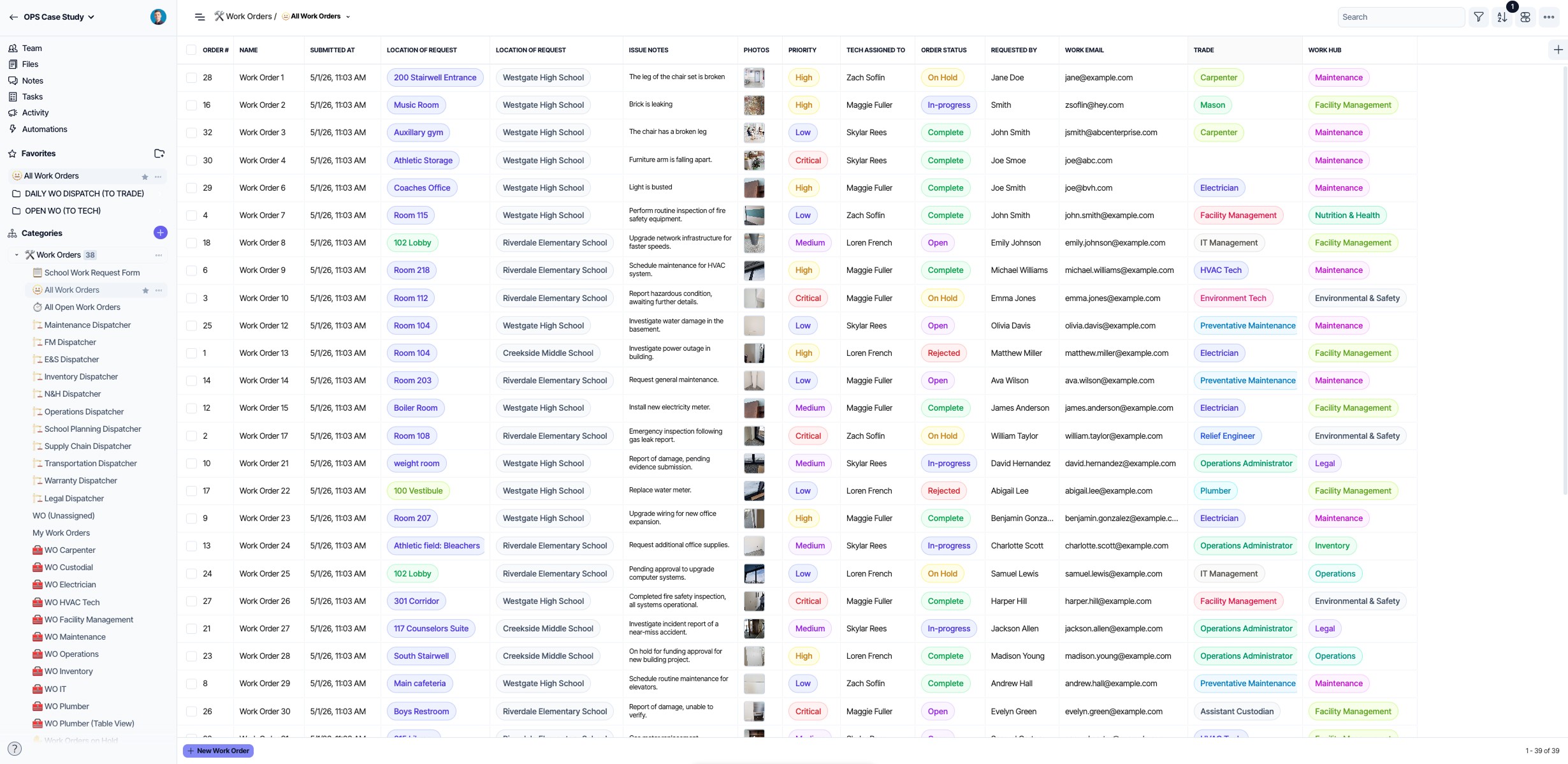
Work Request Intake and Work Order Management
Every maintenance request in the district flows through Layer, from initial submission to final resolution. The process begins at the school level, where custodians and staff submit requests using a Layer form that already identifies their campus. They add a specific building location, a description of the issue, and an optional photo. Submissions route directly to the appropriate dispatcher.
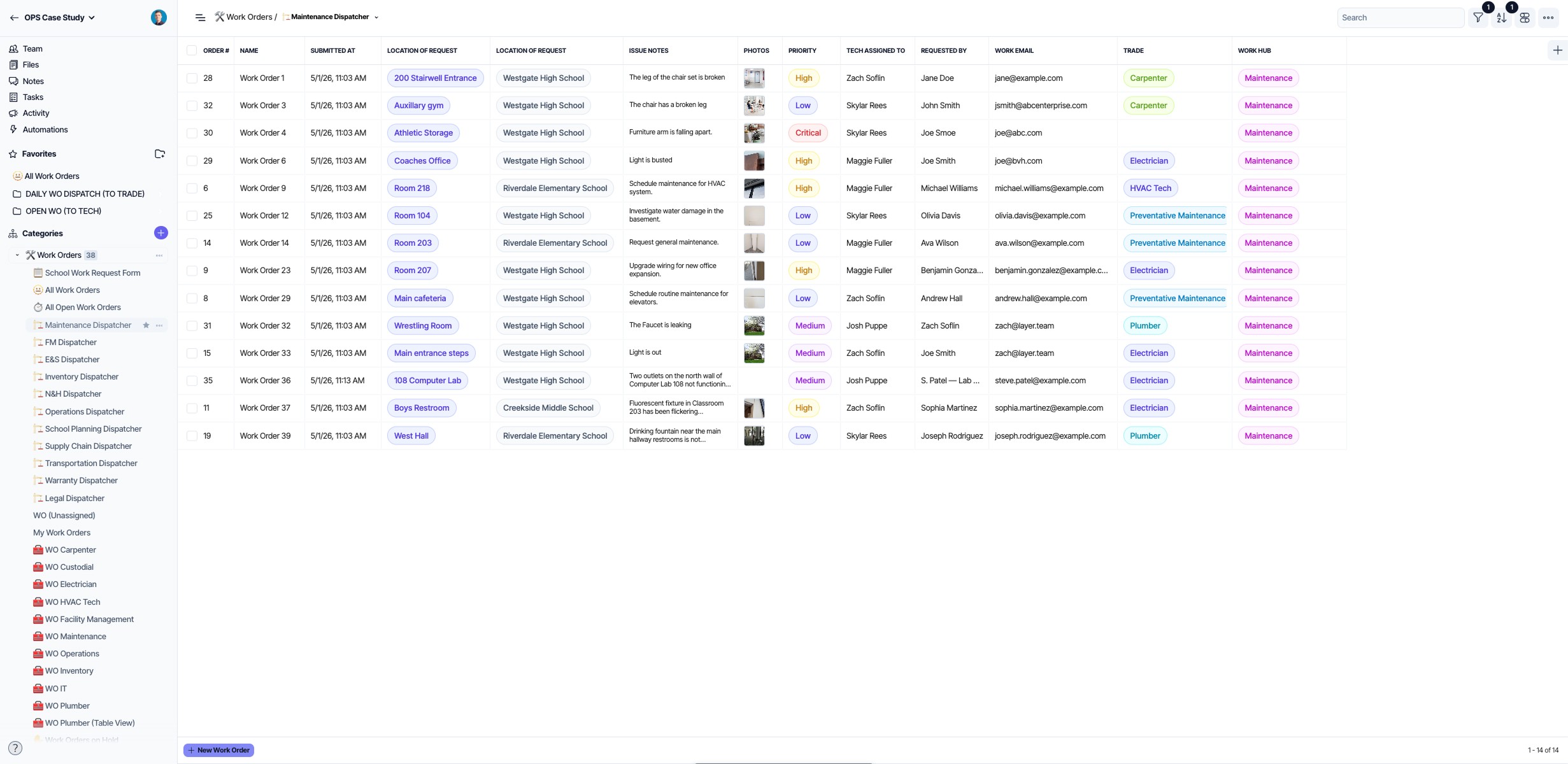
Dispatchers review incoming requests organized by campus, with descriptions and photos attached. From that queue, they set priority, assign the work order to the right technician or trade team, add any additional context, and approve. Approved work orders appear immediately in the assigned trade team or technician's queue, complete with priority ranking, location, photos attached, and any additional pertinent information.
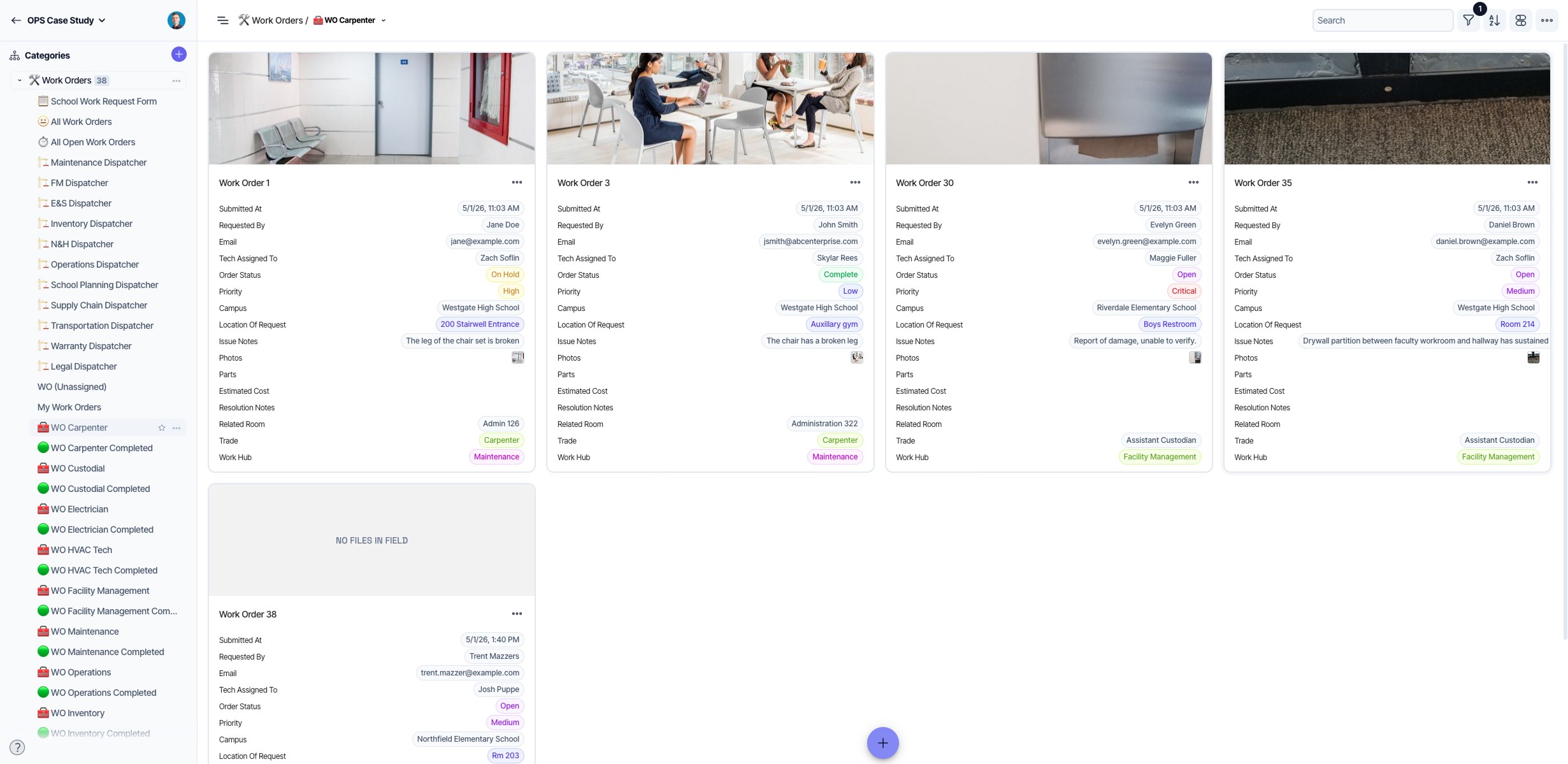
Once a work order closes, Layer automations notify the original requester at each stage thanks to the custom Automations OPS has built: when approved, when work is underway, and when it is complete. No manual follow-up is required, and all parties involved are notified.
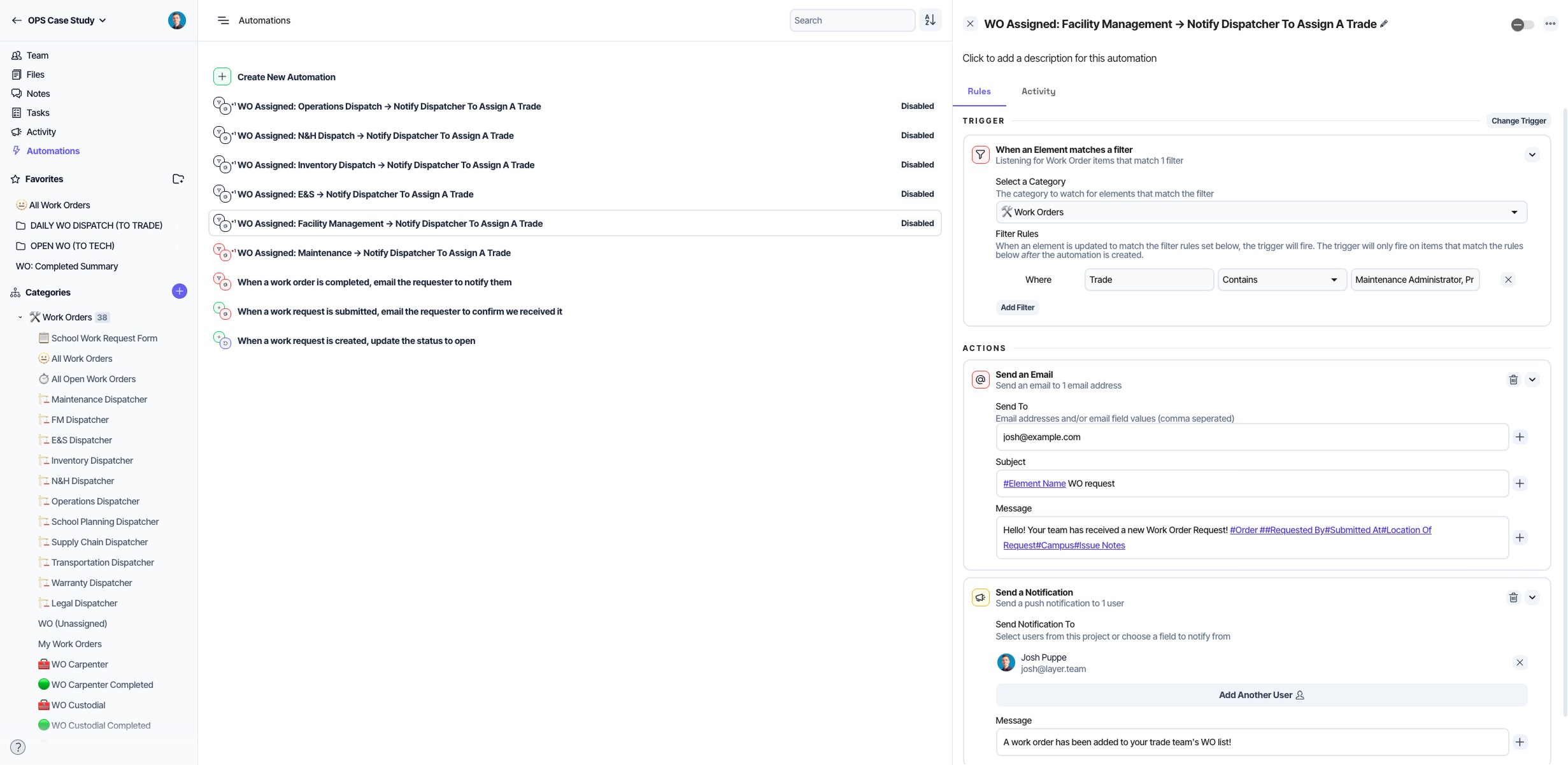
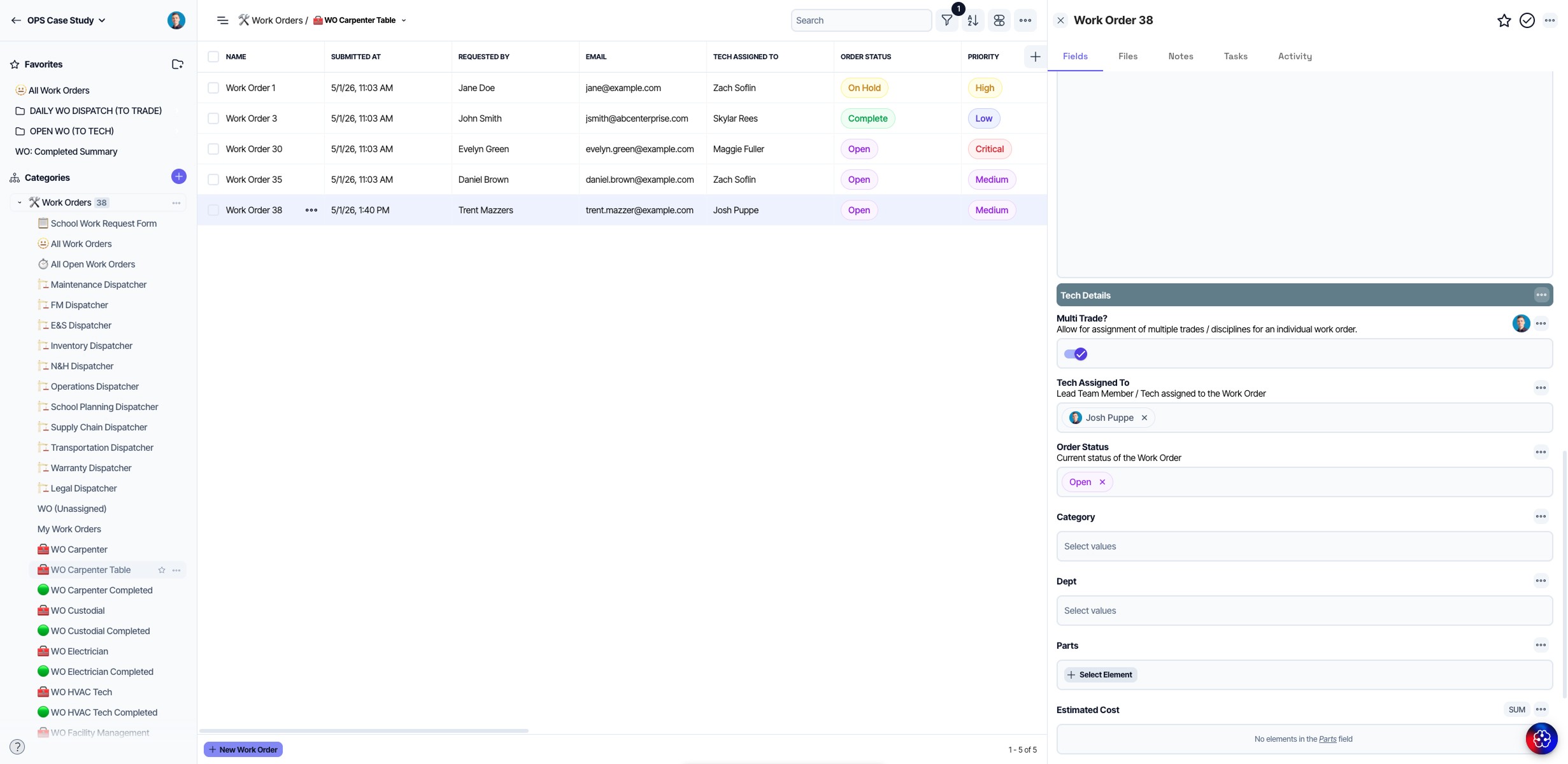
For jobs that require more than one trade, OPS uses Layer's multi-trade work order capability to distribute a single work order across multiple teams, define the sequence in which the work must occur, and track all of it in a shared record. These types of multi-lane extensible configurations are virtually limitless in type, count, and configuration. Any workflow that your team can dream up, it can be custom built in Layer by you as your operation workflows grow and evolve.
Parts Inventory and Purchasing
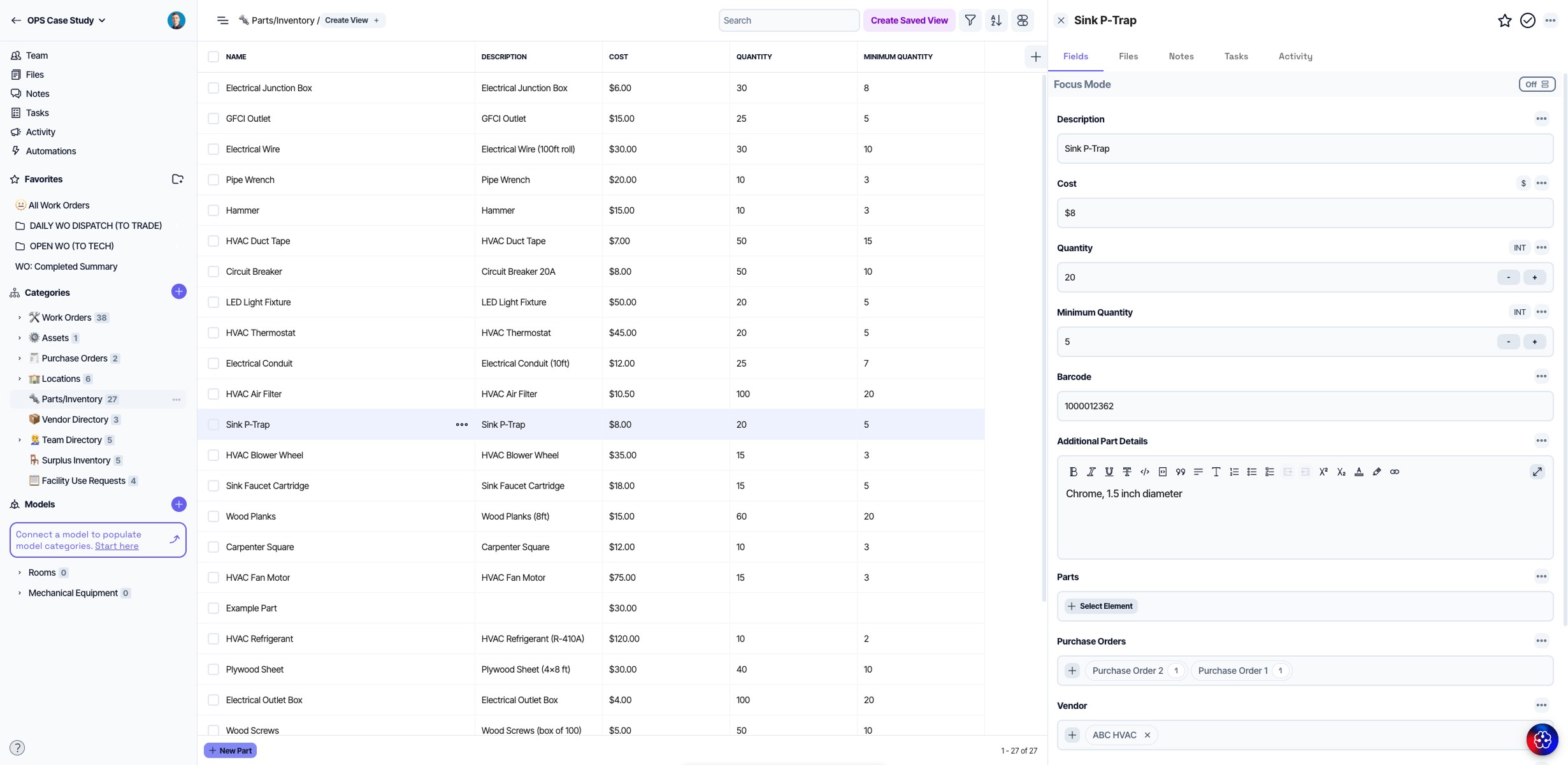
Layer serves as OPS's system of record for parts inventory. Every part in the department's stock is tracked with quantity on hand, storage location, and bin number. When a technician completes a work order requiring parts, those items are pulled from inventory and associated with the record. Stock levels update accordingly.
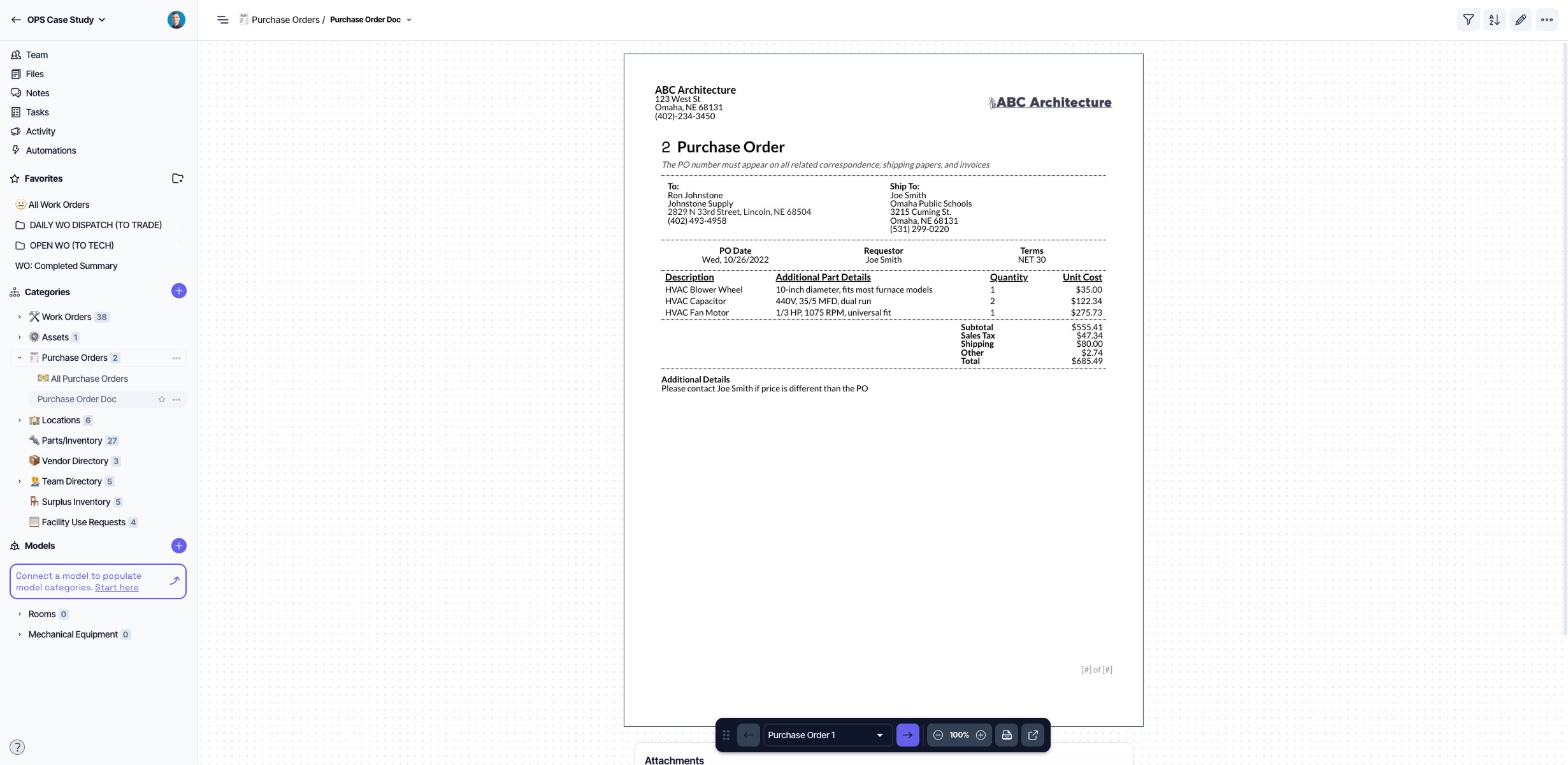
When stock runs low, the purchasing workflow runs through Layer as well. A technician or supervisor creates a requisition, entering line items, quantities, and vendor information. Layer generates a formatted, exportable purchase order document using a layout OPS configured in Layer's Document View. The document is ready to send to a vendor without additional formatting.
Surplus Inventory and Facility Use Requests
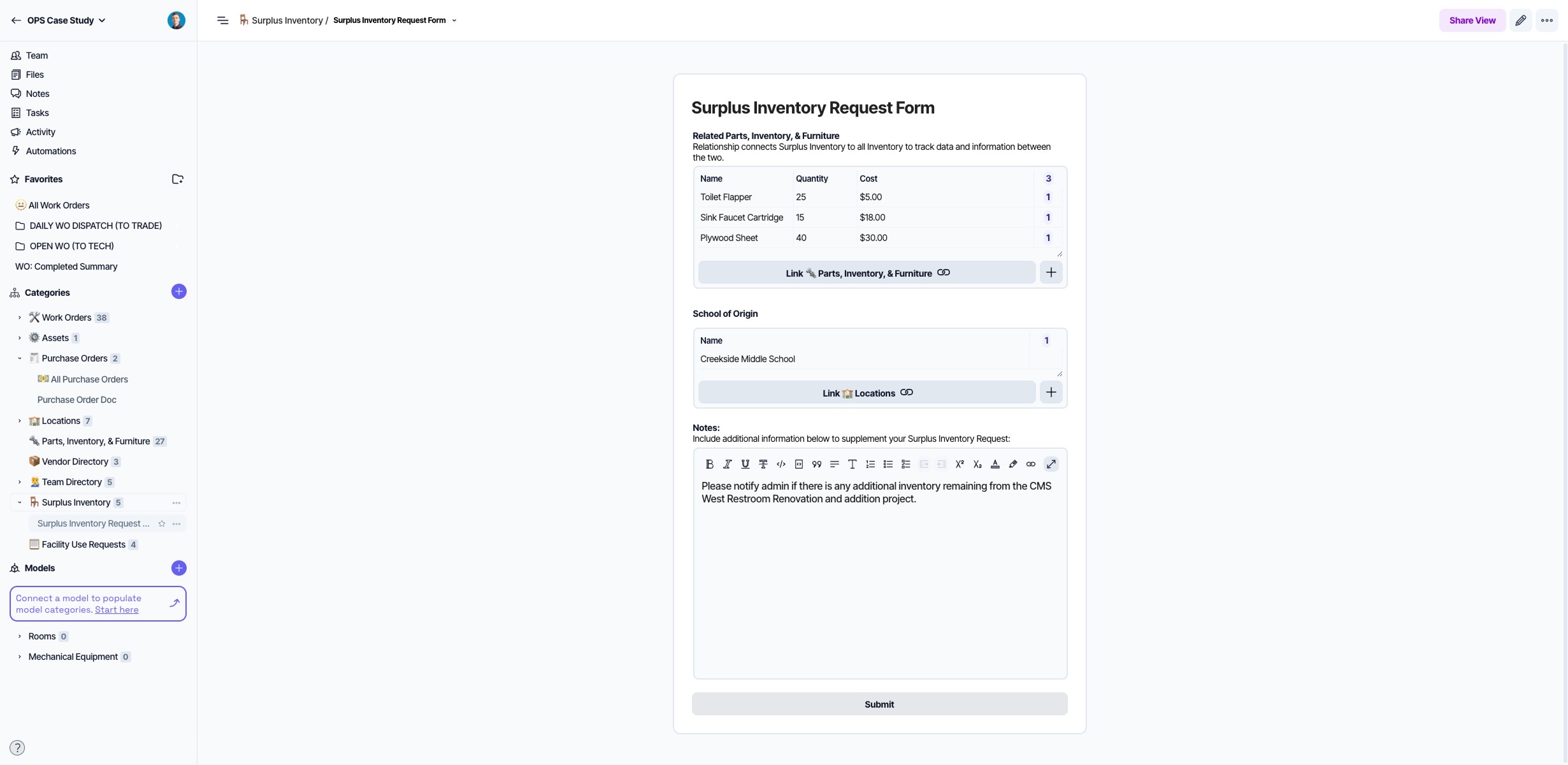
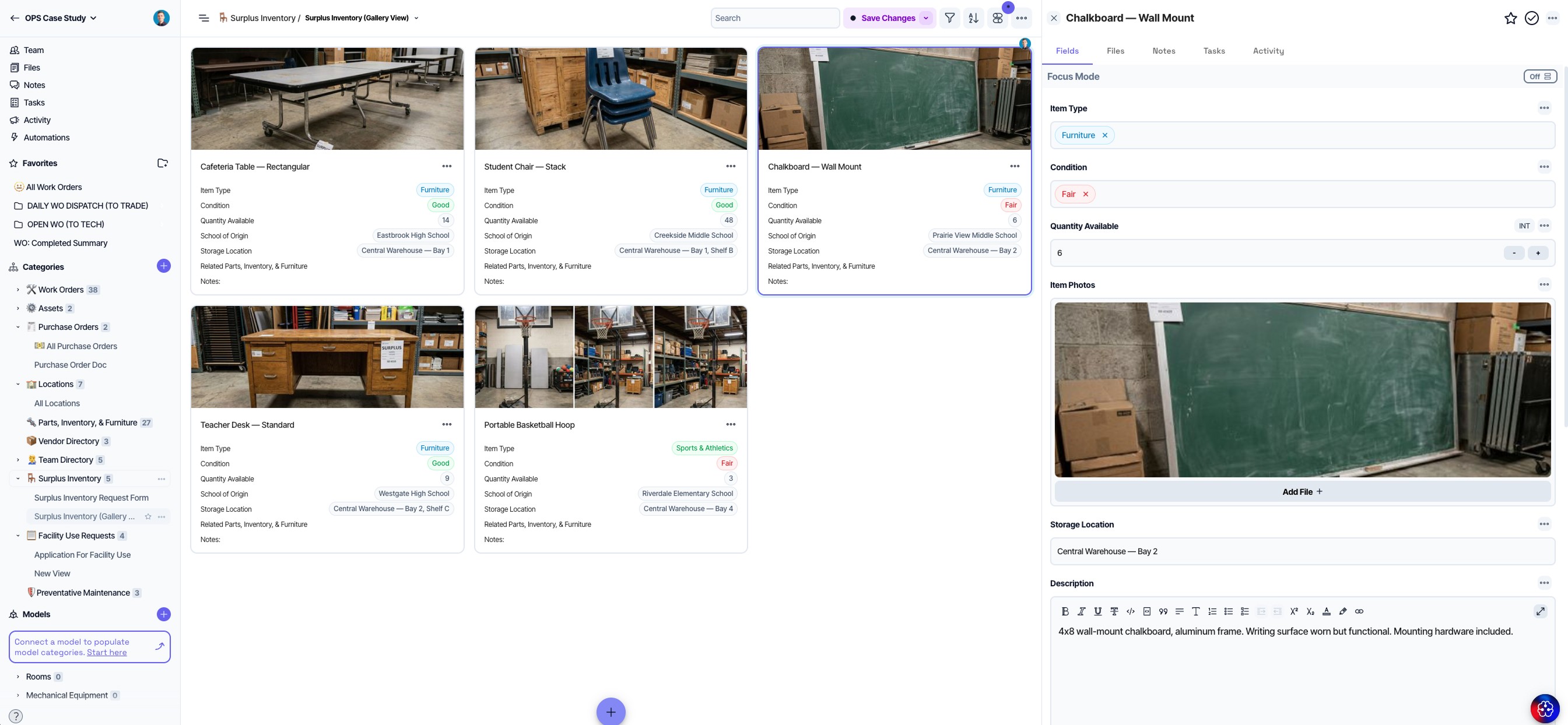
OPS maintains a central warehouse of surplus furniture and equipment, including items no longer needed at one school but available to others. Layer tracks that inventory with photos and quantities. A head custodian or building administrator can browse available items, select what they need, specify a quantity, and submit a request. Items are then pulled from the warehouse and delivered to the requesting school.
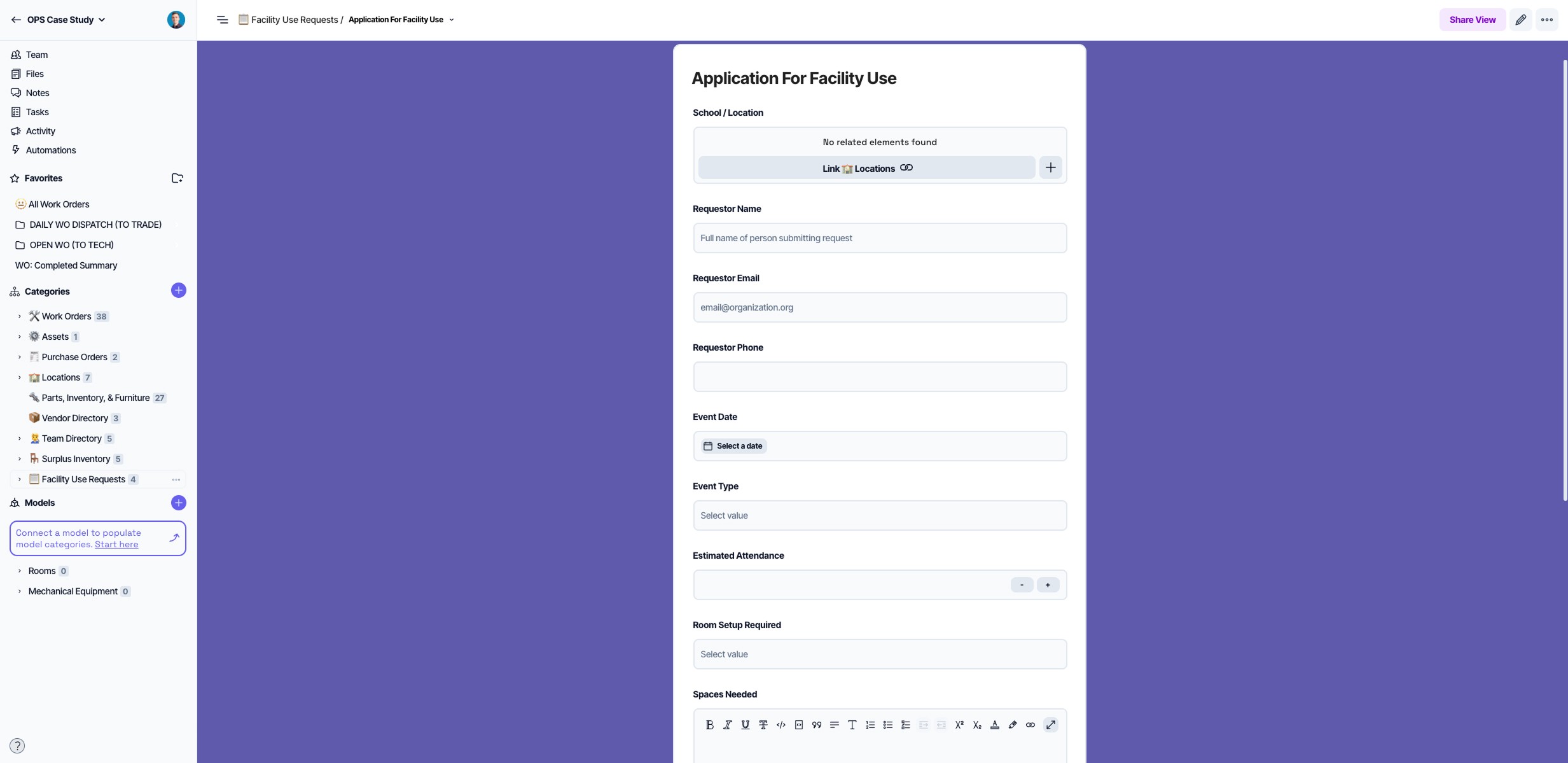
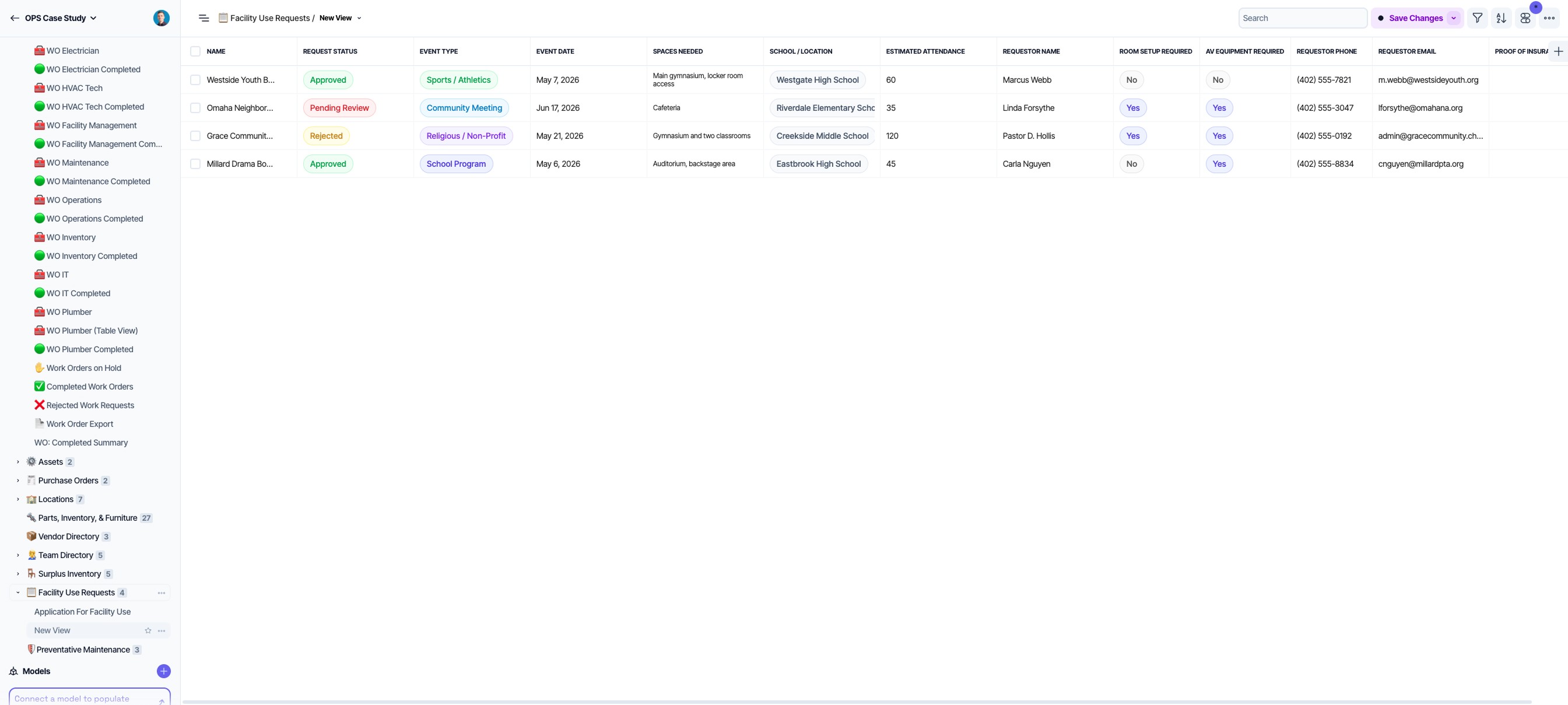
For facility use requests, OPS publishes Layer-powered forms on each school's website, accessible to any member of the public. The form captures the requesting school, event dates, audiovisual requirements, room setup preferences, and proof of insurance, all in a single submission tied to the relevant school record in Layer. OPS has configured automations to enforce district policy automatically: requests submitted fewer than ten days before the event date are rejected without manual review.
For a district receiving facility use requests across 110 different schools, that automation removes a substantial category of repetitive administrative work, freeing up time and administrative bandwidth to focus on other pressing matters.
Preventive Maintenance
Every piece of equipment in OPS's facilities inventory is recorded in Layer, along with its specifications, location, and maintenance history. From that equipment register, the team builds and runs preventive maintenance schedules.
A PM schedule in Layer defines a maintenance frequency tied to a specific piece of equipment at a specific location. A quarterly HVAC filter change at a particular school, for example, generates a work order automatically at the defined interval and routes it to the right technician. No manual creation is required if Automations are leveraged properly. PM work orders enter the same technician queue as all other maintenance work, with the same priority and visibility logic applied. From there, view filters can further tailor data views specific to the individual Layer user based on needs and tasking.
How It All Connects
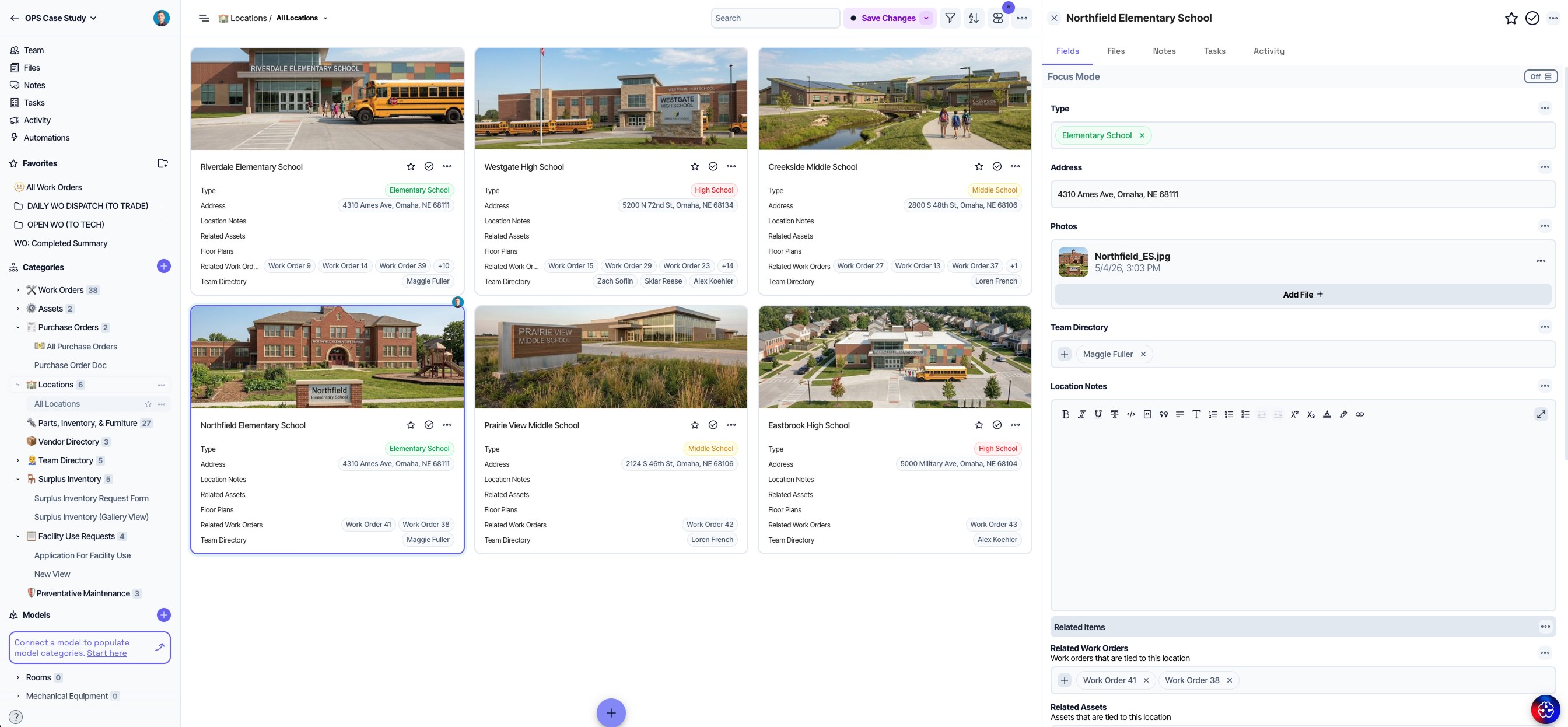
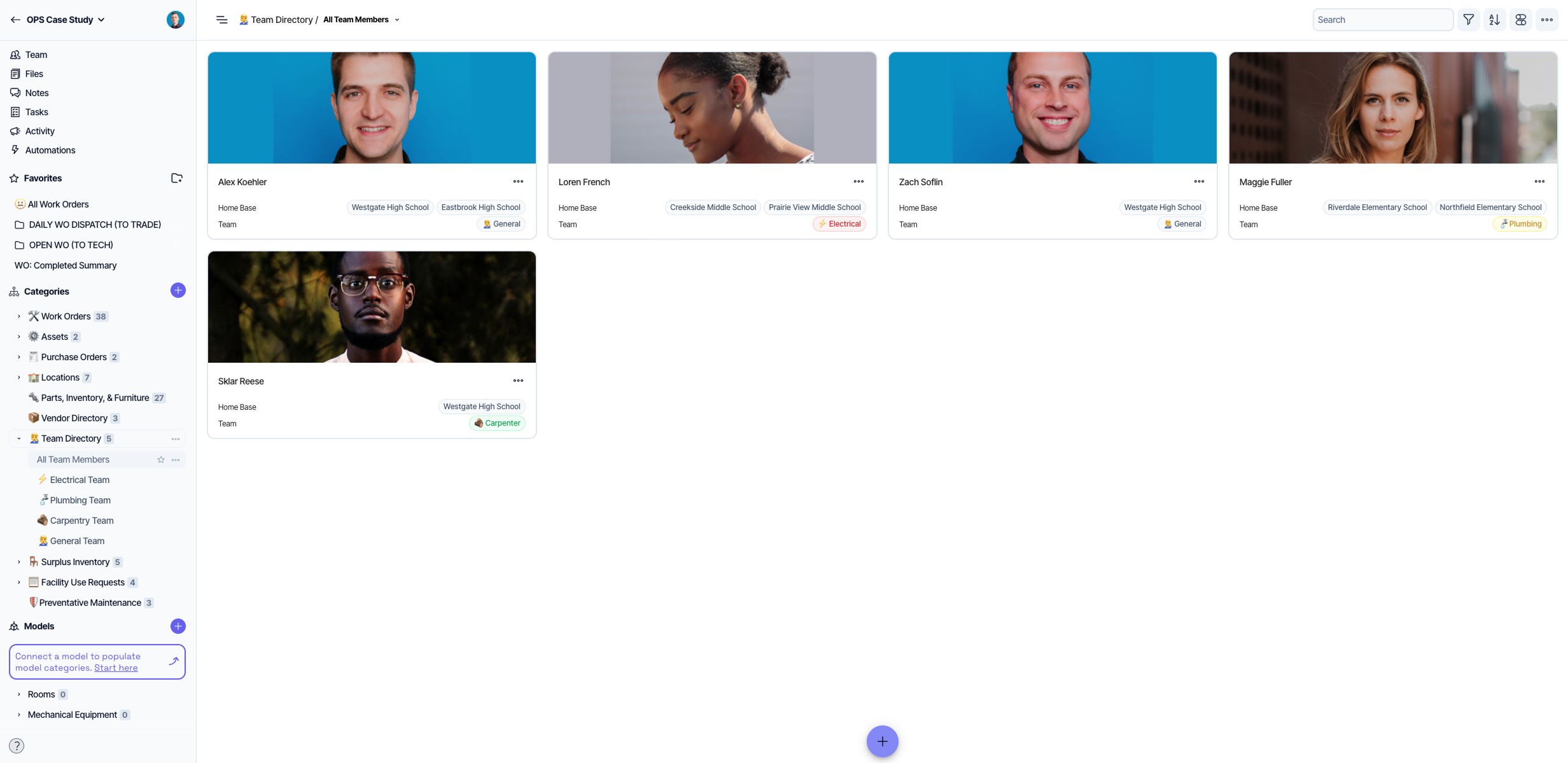
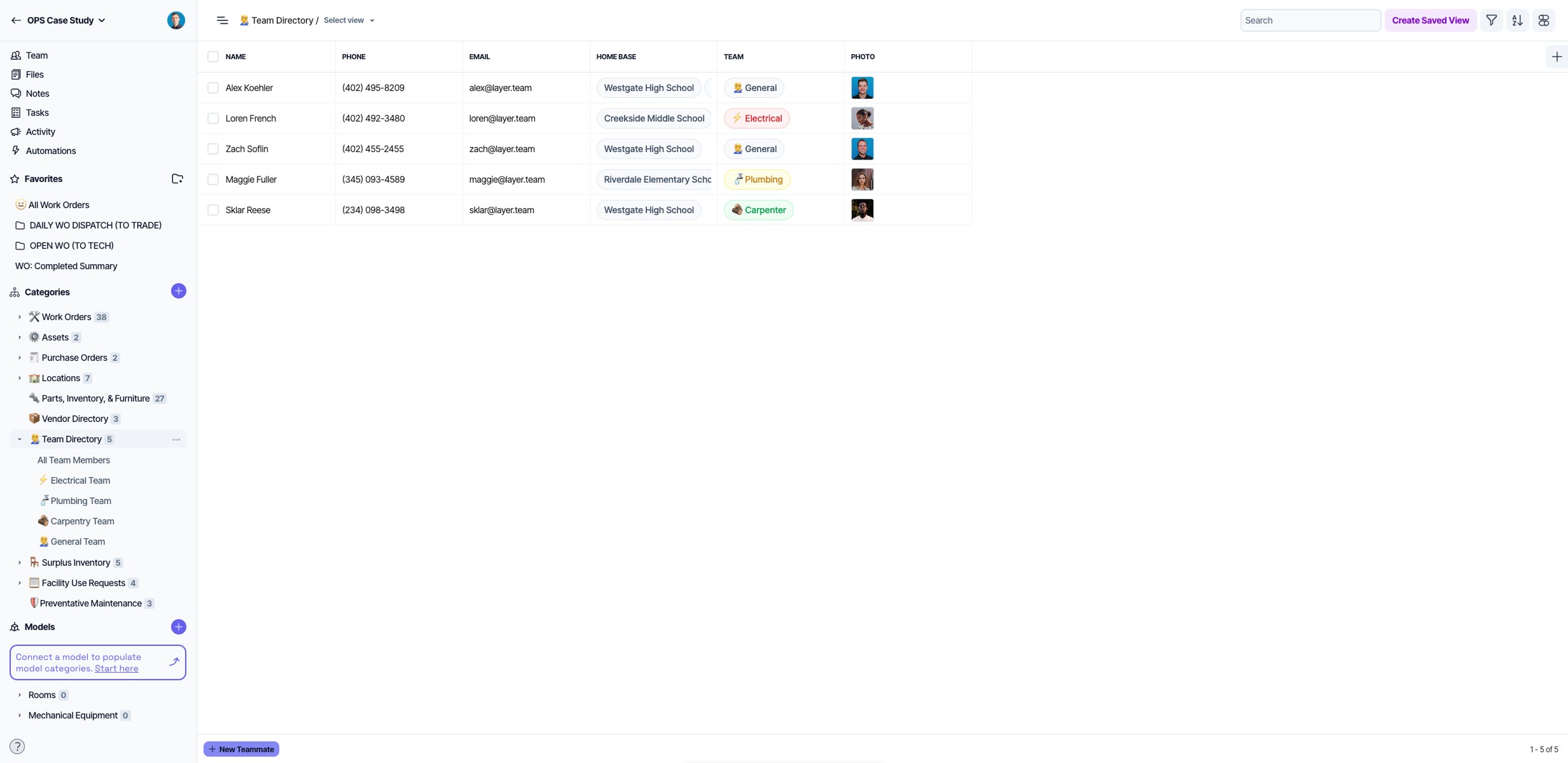
Layer's Locations and Team Directory categories serve as the connective tissue of the entire operation. Every school in the district exists as a record in the Locations category, and every staff member exists as a record in the Team Directory. Those two registries do not sit apart from the rest of the system: they are the anchors to which every other record relates. A work order is linked to a location and assigned to a team member. A parts requisition ties back to the school where the stock is needed. A facility use request is associated with the campus where the event will occur. A preventive maintenance schedule is bound to the equipment at a specific location, assigned to the technician responsible for it. The result is a data structure where nothing exists in isolation. Every record, from a single work order to a district-wide purchasing report, traces back to a place and a person. For a district the size of OPS, that relational architecture is what makes it possible to manage 110 buildings as a single coherent operation rather than 110 separate ones.
Field Access, Reporting, and Data Visibility
OPS technicians work across 110 buildings, including spaces with limited network connectivity. Layer's iOS and Android apps give technicians full and flexible access to their work order data in the field on mobile devices, with real-time sync when connected and includes offline project access when they are not, so no data remains undocumented when It’s needed most.
For district-level reporting, OPS syncs work order data into Power BI through the Layer API. Dashboards display technician performance, team velocity, and work order volume by campus. The structure and scope of those dashboards are defined by OPS, while Layer provides the data feed. For more information on connecting Layer data to external reporting tools, see the Layer API documentation.
Layer's activity log records every change to every record across the district: what changed, who changed it, and when. Head custodians at every school have a dashboard showing the work orders associated with their campus and their current status, without needing to contact the central facilities team.
About Omaha Public Schools
Omaha Public Schools is Nebraska's largest school district, serving students across approximately 110 school buildings throughout the Omaha metropolitan area. The district's facilities department coordinates roughly 300 staff members across maintenance trades, field supervision, dispatch, and administrative operations. Learn more at ops.org.
About Omaha Public Schools
Nebraska's largest school district, serving approximately 110 school buildings and coordinating roughly 300 facilities staff across the Omaha metropolitan area.