Layer Workflow Guides

Layer Workflow Guides

Layer Workflow Guides

Five Things to Look for in a Loan Site Inspection App

Five Things to Look for in a Loan Site Inspection App

Five Things to Look for in a Loan Site Inspection App

Find out how the right app can help you bring order to site inspection documentation, notes, and photos


Many lending teams still use spreadsheets, shared drives, and emailed photos to manage property inspections. While this may work for a small number of loans, the process becomes harder to manage as portfolios grow. Inspection notes vary by person, photo files get disconnected from context, and reports often require formatting after the visit is complete. Over time, this makes it difficult to compare inspections, transfer responsibilities between staff, or trace condition changes across time.

When a team is ready to replace manual workflows, it is important to choose a tool that reflects how commercial inspections actually function. Most general-purpose apps are built for maintenance teams or construction documentation, not for lenders performing repeatable, condition-based fieldwork.

Why spreadsheet-based inspections cause problems

Spreadsheet-based inspections usually start with a shared checklist. Over time, those templates become harder to manage. Different people fill them out in different ways. Notes are entered inconsistently, and field teams may not follow the same conventions when labeling images or documenting systems. Photos are often stored separately from the reports, making it difficult to understand what was observed and where.

As portfolios grow, these problems compound. It becomes difficult to find the last inspection for a given building. There may be multiple versions of the same report. If a team member leaves or a property changes hands, new reviewers spend more time organizing past documentation than reviewing current conditions.

What a commercial inspection app should do

The right software should help field teams collect accurate data and ensure that documentation remains consistent across time, sites, and inspectors. The tool should support structured inputs, location-based tagging, and reporting that aligns with internal expectations. The table below outlines key features to evaluate when selecting an inspection app.

Capability

What to Look For

Why It Matters

1. Field-based documentation

Capture notes, photos, and observations on-site without extra steps

Reduces transcription, formatting, and report assembly time

2. Location or system tagging

Link observations to specific areas of a property or building system

Helps reviewers understand where an issue is and what system it affects

3. Contextual organization

Automatically group data by property and inspection type

Keeps records traceable and reduces duplicate entry

4. Configurable exports & reports

Match your internal report format or documentation review needs

Avoids extra formatting work after the inspection is done

5. No core system integration

Works independently of customer account systems

Reduces IT security risk and speeds up onboarding for internal or third-party inspectors

What teams often overlook when evaluating tools

When replacing a manual process, teams often focus on individual features without examining how information will be used after the inspection. But field documentation is only useful if it can be understood and reviewed by others—sometimes weeks or months later.

During tool evaluations, consider how the software will support the entire workflow, not just the inspection itself. Ask:

  • Can inspectors view prior notes or conditions while on-site?

  • Does the tool standardize how conditions are described across users?

  • Are photos labeled and tagged in a way that supports search or filtering?

  • Can reports be generated in a consistent format that matches internal requirements?

A tool that only improves field collection, but requires formatting, merging files, or explaining observations by email, will slow down reviews and create inconsistencies over time. Field documentation should support repeatability and allow a new reviewer to understand the condition of the property without additional context.

Why structure matters in inspection reports

Inspection reports are often passed between multiple reviewers—field staff, credit teams, servicing departments, and sometimes outside consultants. For that reason, reports need to follow a clear structure.

Well-organized reports use consistent condition types, group notes by location or system, and include time-stamped photos that correspond to each observation. Tags or categories should align with internal terminology. Conditions should be described with clear, factual language.

For example, instead of saying "some deterioration on roof," a better observation would be "membrane at northeast corner shows surface cracking and standing water." This level of specificity supports servicing decisions and allows lenders to assess whether the condition is new, worsening, or addressed.

Templates should be standardized by loan type or risk category. This helps ensure consistency across a portfolio, especially when multiple people perform inspections on similar assets.

How Layer supports documentation workflows

Layer is used by banks, asset managers, and consultants to standardize how property conditions are recorded and shared. It was designed for field-based teams that need to document multiple properties and maintain a consistent record across time.

Using Layer, teams can:

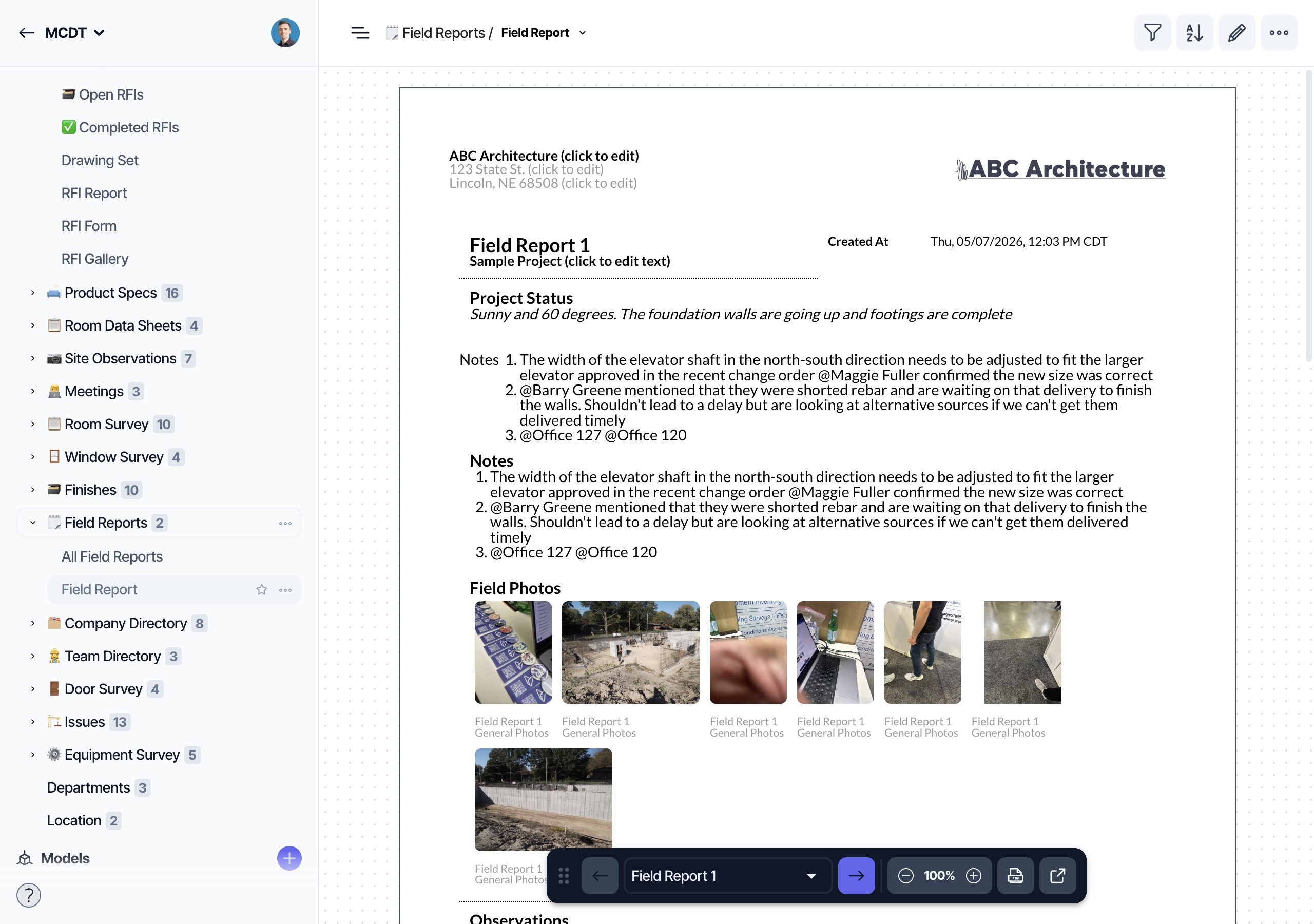
  • Capture notes, conditions, and photos directly on mobile devices

  • Mark up building plans or elevations with condition tags

  • Group observations by building system, severity, or location

  • Export consistent reports that align with internal formats

  • Reference past inspections without searching external files or drives

Because Layer is not connected to core banking systems or customer accounts, it can be safely deployed across internal staff and external field teams. It requires no integration with sensitive data systems and supports repeatable, auditable documentation across the full property lifecycle.
Further resources

To see how other teams structure field documentation and inspections, explore the following guides:

Everything You Need to Know About Property Inspections in Commercial Lending

Site Visits Matter: Here’s How You Prepare

How to Document Existing Conditions in 4 Easy Steps

Tips for Using Layer in the Field

Many lending teams still use spreadsheets, shared drives, and emailed photos to manage property inspections. While this may work for a small number of loans, the process becomes harder to manage as portfolios grow. Inspection notes vary by person, photo files get disconnected from context, and reports often require formatting after the visit is complete. Over time, this makes it difficult to compare inspections, transfer responsibilities between staff, or trace condition changes across time.

When a team is ready to replace manual workflows, it is important to choose a tool that reflects how commercial inspections actually function. Most general-purpose apps are built for maintenance teams or construction documentation, not for lenders performing repeatable, condition-based fieldwork.

Why spreadsheet-based inspections cause problems

Spreadsheet-based inspections usually start with a shared checklist. Over time, those templates become harder to manage. Different people fill them out in different ways. Notes are entered inconsistently, and field teams may not follow the same conventions when labeling images or documenting systems. Photos are often stored separately from the reports, making it difficult to understand what was observed and where.

As portfolios grow, these problems compound. It becomes difficult to find the last inspection for a given building. There may be multiple versions of the same report. If a team member leaves or a property changes hands, new reviewers spend more time organizing past documentation than reviewing current conditions.

What a commercial inspection app should do

The right software should help field teams collect accurate data and ensure that documentation remains consistent across time, sites, and inspectors. The tool should support structured inputs, location-based tagging, and reporting that aligns with internal expectations. The table below outlines key features to evaluate when selecting an inspection app.

Capability

What to Look For

Why It Matters

1. Field-based documentation

Capture notes, photos, and observations on-site without extra steps

Reduces transcription, formatting, and report assembly time

2. Location or system tagging

Link observations to specific areas of a property or building system

Helps reviewers understand where an issue is and what system it affects

3. Contextual organization

Automatically group data by property and inspection type

Keeps records traceable and reduces duplicate entry

4. Configurable exports & reports

Match your internal report format or documentation review needs

Avoids extra formatting work after the inspection is done

5. No core system integration

Works independently of customer account systems

Reduces IT security risk and speeds up onboarding for internal or third-party inspectors

What teams often overlook when evaluating tools

When replacing a manual process, teams often focus on individual features without examining how information will be used after the inspection. But field documentation is only useful if it can be understood and reviewed by others—sometimes weeks or months later.

During tool evaluations, consider how the software will support the entire workflow, not just the inspection itself. Ask:

  • Can inspectors view prior notes or conditions while on-site?

  • Does the tool standardize how conditions are described across users?

  • Are photos labeled and tagged in a way that supports search or filtering?

  • Can reports be generated in a consistent format that matches internal requirements?

A tool that only improves field collection, but requires formatting, merging files, or explaining observations by email, will slow down reviews and create inconsistencies over time. Field documentation should support repeatability and allow a new reviewer to understand the condition of the property without additional context.

Why structure matters in inspection reports

Inspection reports are often passed between multiple reviewers—field staff, credit teams, servicing departments, and sometimes outside consultants. For that reason, reports need to follow a clear structure.

Well-organized reports use consistent condition types, group notes by location or system, and include time-stamped photos that correspond to each observation. Tags or categories should align with internal terminology. Conditions should be described with clear, factual language.

For example, instead of saying "some deterioration on roof," a better observation would be "membrane at northeast corner shows surface cracking and standing water." This level of specificity supports servicing decisions and allows lenders to assess whether the condition is new, worsening, or addressed.

Templates should be standardized by loan type or risk category. This helps ensure consistency across a portfolio, especially when multiple people perform inspections on similar assets.

How Layer supports documentation workflows

Layer is used by banks, asset managers, and consultants to standardize how property conditions are recorded and shared. It was designed for field-based teams that need to document multiple properties and maintain a consistent record across time.

Using Layer, teams can:

  • Capture notes, conditions, and photos directly on mobile devices

  • Mark up building plans or elevations with condition tags

  • Group observations by building system, severity, or location

  • Export consistent reports that align with internal formats

  • Reference past inspections without searching external files or drives

Because Layer is not connected to core banking systems or customer accounts, it can be safely deployed across internal staff and external field teams. It requires no integration with sensitive data systems and supports repeatable, auditable documentation across the full property lifecycle.

Further resources

To see how other teams structure field documentation and inspections, explore the following guides:

Everything You Need to Know About Property Inspections in Commercial Lending

Site Visits Matter: Here’s How You Prepare

How to Document Existing Conditions in 4 Easy Steps

Tips for Using Layer in the Field

Contents

Published: Jan 29, 2021

Get Started Today

Want to see how Layer can transform the way your team works?

Get Started Today

Want to see how Layer can transform the way your team works?

Get Started Today

Want to see how Layer can transform the way your team works?