Operations
Learn how facilities teams use a CMMS to manage maintenance requests, schedule preventive tasks, track assets, and coordinate vendors in daily operations.

What is a CMMS and what does it do?
A computerized maintenance management system, or CMMS, is software used by facilities teams to track, manage, and document maintenance work across buildings, systems, and assets.

A facilities technician inspecting equipment during a routine maintenance round. A CMMS captures this work as it happens.
Facilities teams use a CMMS throughout the workday to receive maintenance requests, assign and complete tasks, record work performed, and maintain an ongoing record of how building systems perform over time.
What role does a CMMS play in daily facilities work?
A CMMS organizes how maintenance work is managed throughout the day. It provides a clear view of all active, scheduled, and overdue tasks, which helps teams plan, prioritize, and assign work as needed.
At the start of a shift, staff can review incoming requests or upcoming preventive maintenance. As tasks are completed, technicians log updates directly in the system, including notes, photos, and any follow-up actions. Supervisors track progress in real time and reassign work as availability or urgency changes. Vendor visits are scheduled and documented in the same system.
Without a CMMS, this information is often split between spreadsheets, whiteboards, email threads, and staff conversations. Tasks are easier to miss, updates are slower to circulate, and maintenance records are harder to verify.
Examples of day-to-day work tracked in a CMMS
Type of maintenance work | Examples of tasks | Why it appears in daily operations |
|---|---|---|
Reactive repairs | Leaks, equipment failures, safety issues | Unplanned issues that require immediate attention |
Preventive maintenance | Inspections, filter changes, testing | Recurring tasks scheduled to reduce downtime |
Corrective follow-ups | Repairs identified during inspections | Issues discovered during routine work |
Vendor service work | Elevator service, HVAC repairs | Specialized work handled by third parties |
Compliance tasks | Safety checks, code-required testing | Required activities with documentation needs |
Minor requests | Lighting fixes, door adjustments | High-volume tasks that need tracking and closure |
How are maintenance requests managed in a CMMS?
A CMMS provides a structured process for receiving, reviewing, and resolving maintenance requests. Most systems follow a consistent daily workflow that looks something like this:
A request is submitted. This may come from an occupant, administrator, or technician. The form typically includes the issue, location, and any relevant notes or photos.
The request enters a centralized queue. Facilities staff review incoming requests and assess urgency, scope, and who should handle the task.
A technician is assigned. The work order is routed to a technician or vendor, often based on location, skill, or availability.
The technician completes the task. Updates, time logs, and documentation (such as photos or parts used) are added directly to the request.
The request is closed. Once the task is finished, the status is updated in the system. Some CMMS platforms notify the requester or keep a visible history for transparency.
This process replaces ad hoc tracking across emails, voicemails, or spreadsheets. It helps ensure requests are not lost or duplicated, and that each task moves through a predictable series of steps from intake to closure.
How maintenance requests are handled in practice
Without a CMMS | With a CMMS |
|---|---|
Requests arrive via email, phone calls, or informal conversations | Requests enter a single, structured queue |
Information is incomplete or inconsistent | Location, description, and priority are captured consistently |
Status updates rely on follow-up messages | Progress is visible to the whole team |
Requests are easy to miss or duplicate | All open work is tracked in one place |
Centralizing requests helps facilities teams respond more consistently and maintain visibility into outstanding work throughout the day.
How is preventive maintenance scheduled and completed?
Beyond reactive work, facilities teams use a CMMS daily to manage preventive maintenance.
Preventive maintenance exists to reduce unexpected equipment failures, extend asset life, and keep building systems operating reliably. By performing routine inspections and servicing, facilities teams can identify issues before they escalate into emergency repairs. In many cases, preventive maintenance also supports manufacturer recommendations, safety requirements, and regulatory obligations.
In a CMMS, preventive tasks are tied to specific assets and scheduled on a defined cadence. Rather than being managed separately, these tasks appear alongside reactive work in technician queues, allowing teams to balance urgent issues with planned maintenance.
How preventive maintenance shows up in daily workflows
Without a CMMS | With a CMMS |
|---|---|
Preventive tasks tracked in calendars or spreadsheets | Tasks generated automatically based on schedules |
Tasks missed during busy periods | Tasks visible alongside reactive work |
Inspection results logged inconsistently | Findings recorded directly in the system |
Preventive work disconnected from asset history | Preventive work builds a continuous service record |
Technicians complete preventive tasks and log time, findings, and follow-up actions as part of normal work, creating a reliable maintenance history over time.
How does a CMMS support asset information over time?
A CMMS maintains a digital record of each asset that facilities teams are responsible for. This includes equipment such as air handlers, boilers, pumps, and life safety systems. Each record typically includes location, model number, warranty details, and service history.
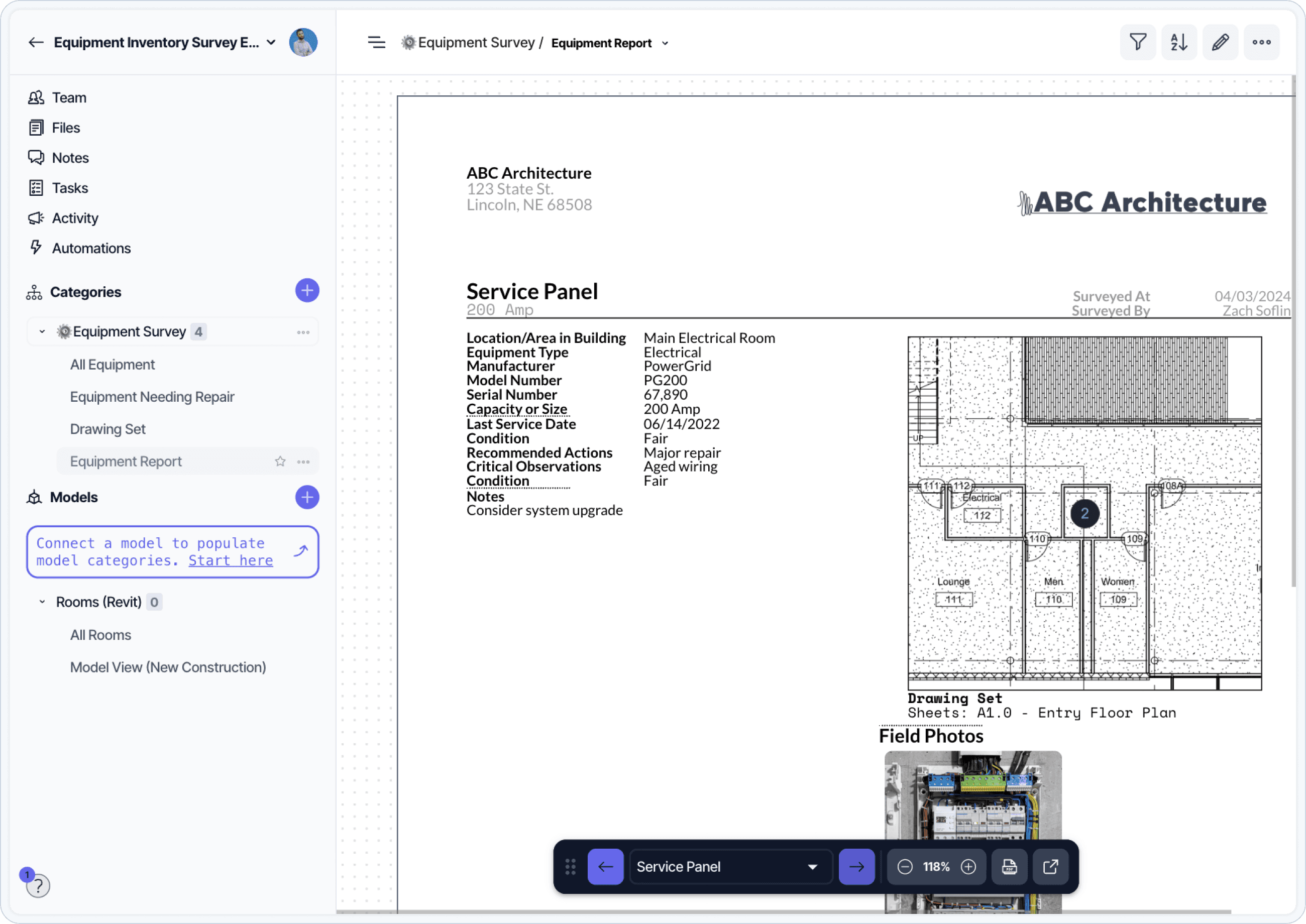
An equipment service panel surveyed and tied back to its asset record in the CMMS.
As work is completed, technicians log notes, repairs, and inspections directly to the asset record. Over time, this creates a clear history of what has been done, when it was done, and what issues have occurred. Staff can use this history to identify patterns, compare equipment performance, or confirm that warranty conditions have been met.
Technicians often reference asset records before starting a task to check previous work, find manufacturer guidance, or locate required parts. This reduces the need to track down paper manuals or rely on memory.
How asset records are used day to day
Asset information without a CMMS | Asset information with a CMMS |
|---|---|
Information scattered across manuals and folders | Asset information stored in a single record |
Maintenance history incomplete or informal | All work tied directly to the asset |
Repeat issues identified anecdotally | Patterns visible over time |
Decisions rely on staff memory | Decisions supported by recorded data |
As maintenance activity accumulates, the CMMS provides a clear, asset-level view of how equipment performs over time.
How are internal teams and external vendors coordinated?
Facilities work often involves both in-house teams and third-party service providers. A CMMS provides a shared system for assigning tasks, scheduling site visits, and recording results.

A property inspection report captured during a vendor visit and attached to the work order.
Supervisors use the CMMS to assign work based on staff availability and skill. Vendor tasks are entered the same way as internal work and are linked to the affected asset or location. When vendors complete work, they can attach photos, inspection forms, or other documentation to the relevant record.
This makes it easier to coordinate across roles, confirm when vendors were on site, and verify that required work has been completed.
What changes with CMMS-based coordination
Informal coordination | CMMS-supported coordination |
|---|---|
Vendor details stored in email threads | Vendor activity recorded centrally |
Work history tied to individuals | Work history tied to assets and locations |
Knowledge lost during staff turnover | Continuity maintained over time |
This approach reduces reliance on individual inboxes and preserves operational knowledge.
How are documentation and compliance records handled?
Facilities teams use a CMMS to capture documentation as work is performed. This includes inspection reports, testing logs, permit forms, photos, and compliance checklists.
Rather than saving these materials in shared drives or paper folders, staff upload them directly to the relevant task or asset record. This keeps documentation attached to the work it supports.
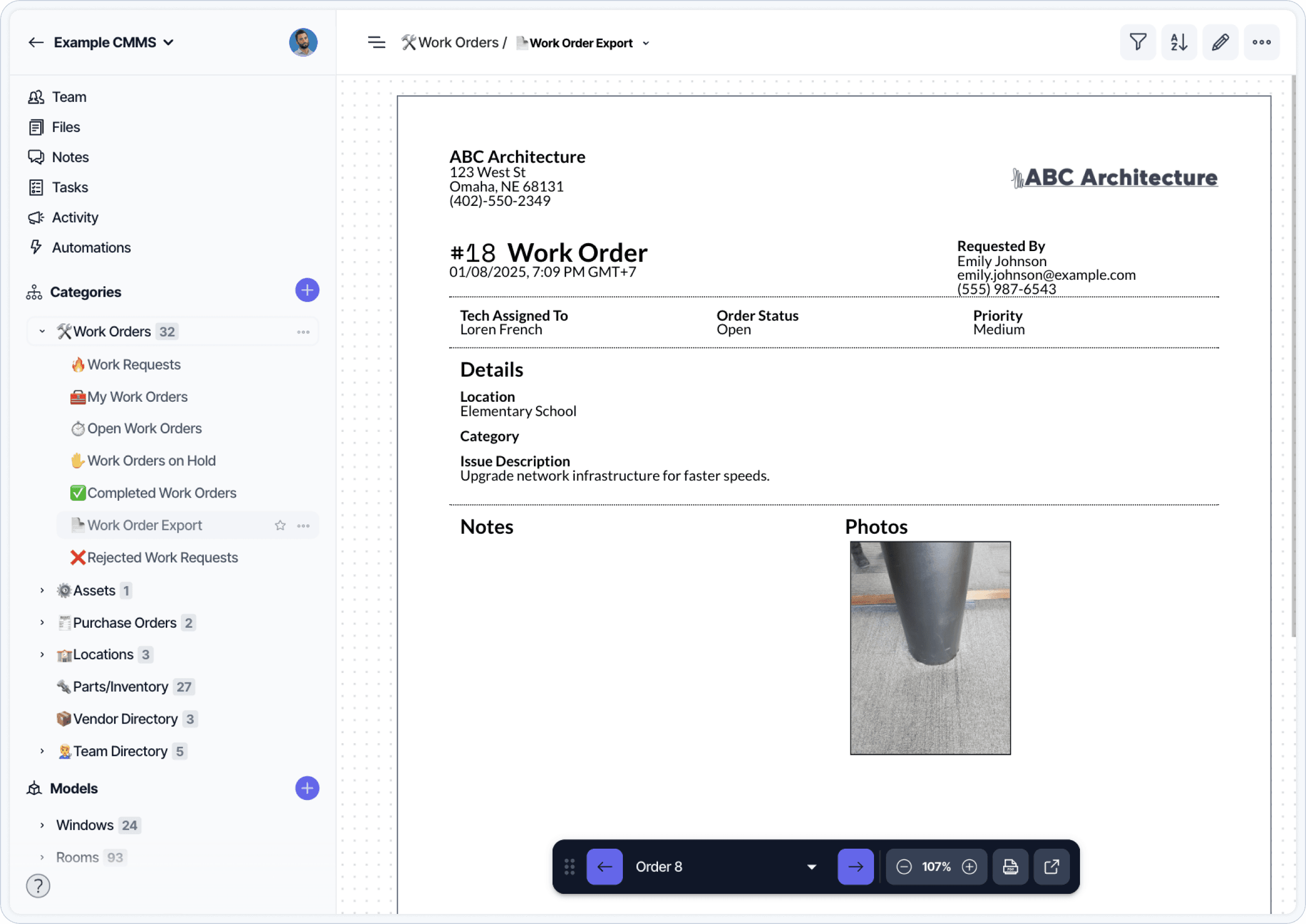
A CMMS work order report with technician notes, photos, and completion timestamps.
When a compliance check is due or an audit takes place, staff can retrieve the required records by filtering completed tasks or viewing the asset history. This reduces time spent searching and ensures that required documentation is stored in a consistent location.
How do facilities teams monitor workload and bottlenecks?
Supervisors use CMMS dashboards to monitor open work orders, overdue tasks, and completion rates for preventive maintenance. These views help teams spot workload issues before they affect service levels.
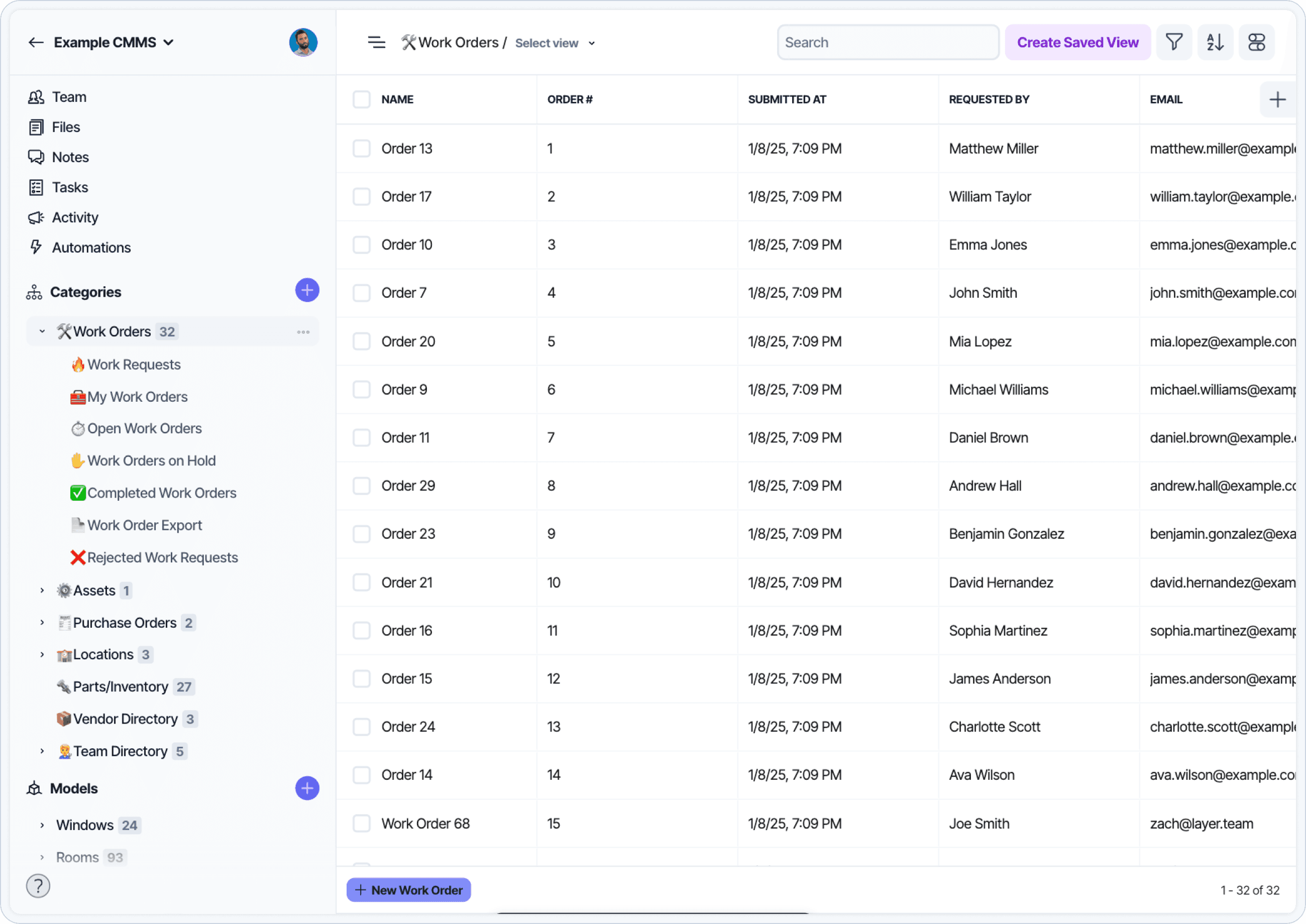
A CMMS work orders dashboard showing open, scheduled, and overdue tasks across the facility.
If tasks are repeatedly delayed or backlogged, it may indicate a staffing shortage, scheduling conflict, or asset that is failing more often than expected. Reviewing work order data can help identify where adjustments are needed.
The goal is not to generate reports for senior management but to give operational teams better visibility into what is working and where attention is needed.
Who uses a CMMS during the workday?
A CMMS is used by several roles throughout the day:
Technicians use it to view assigned tasks, document completed work, and access asset information.
Supervisors use it to assign tasks, schedule vendors, and review team workload.
Administrative staff may enter new requests, update contact information, or track follow-ups.
Vendors may receive assignments and upload completion details.
Auditors and inspectors may use it to verify task completion or review compliance records.
The system is most effective when used consistently across roles. Shared use helps teams coordinate work, avoid duplication, and maintain accurate records over time.
What happens when a CMMS is not in place?
Without a CMMS, maintenance requests and task updates are often spread across emails, spreadsheets, texts, and verbal handoffs. Work can be delayed simply because information is incomplete or not visible to the right people.
In practice, this usually leads to inconsistent prioritization, missed follow-ups, and gaps in maintenance history. When staff change roles or vendors rotate, it becomes harder to confirm what was completed and when.
To learn more about how Layer supports facilities teams with a flexible CMMS linked to your building data visit our template library in the link below.