How to append PDF attachments to Document View exports so they appear after the main report content.

Josh Puppe
Document View attachments let you append additional PDF files to the end of an exported report. Use attachments to bundle supporting documents (submittals, cut sheets, drawings, warranty PDFs) alongside the generated report content.
When to use attachments
A specification report that should include the manufacturer's cut sheet at the end.
A room data sheet bundle that needs an attached floor plan PDF.
A punch list export that bundles photo references or supporting drawings.
How it works
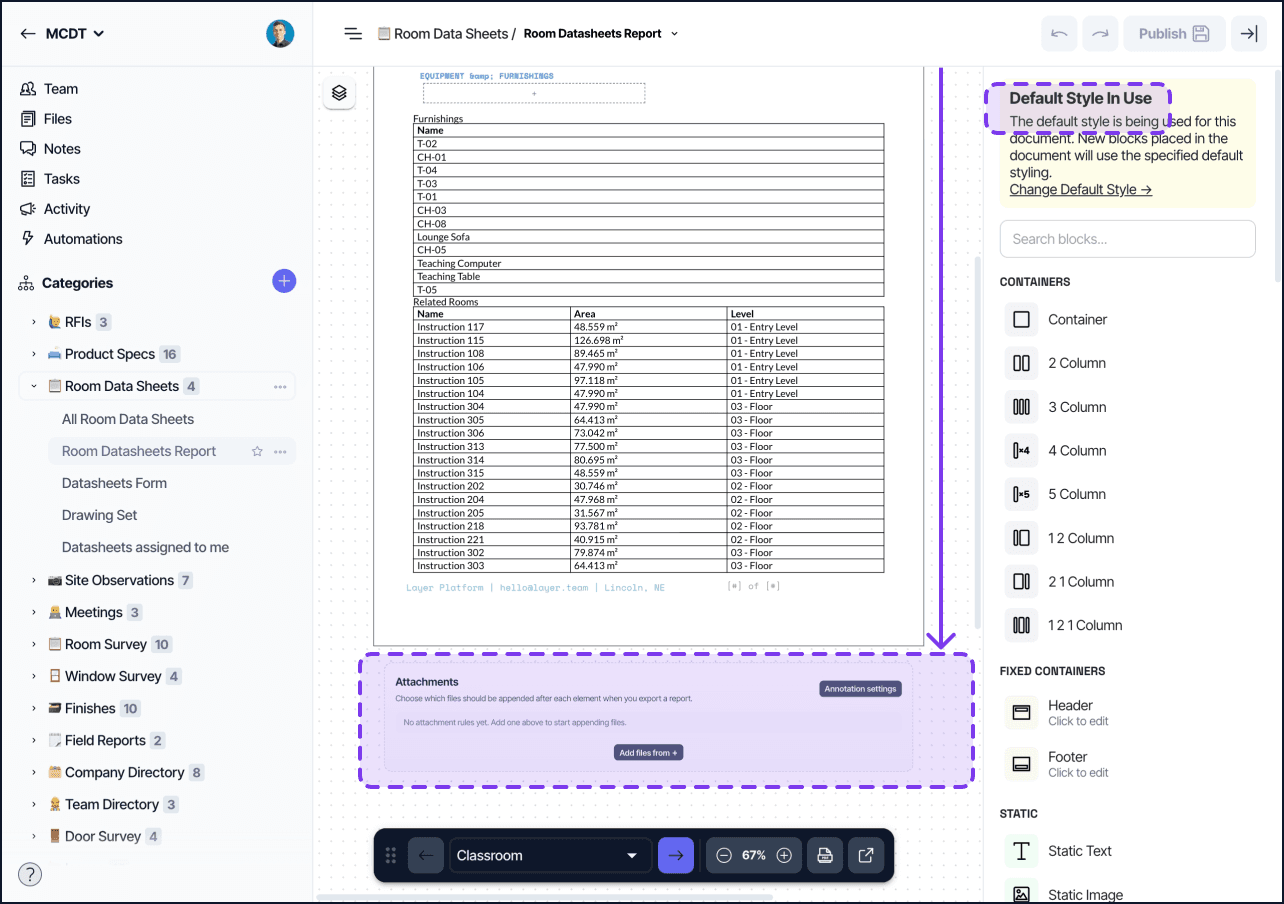
Attachments are configured on the Document View, not on individual blocks. Each attachment references a file from a file field on the current element (in Single Element mode) or a static file (used in either mode).
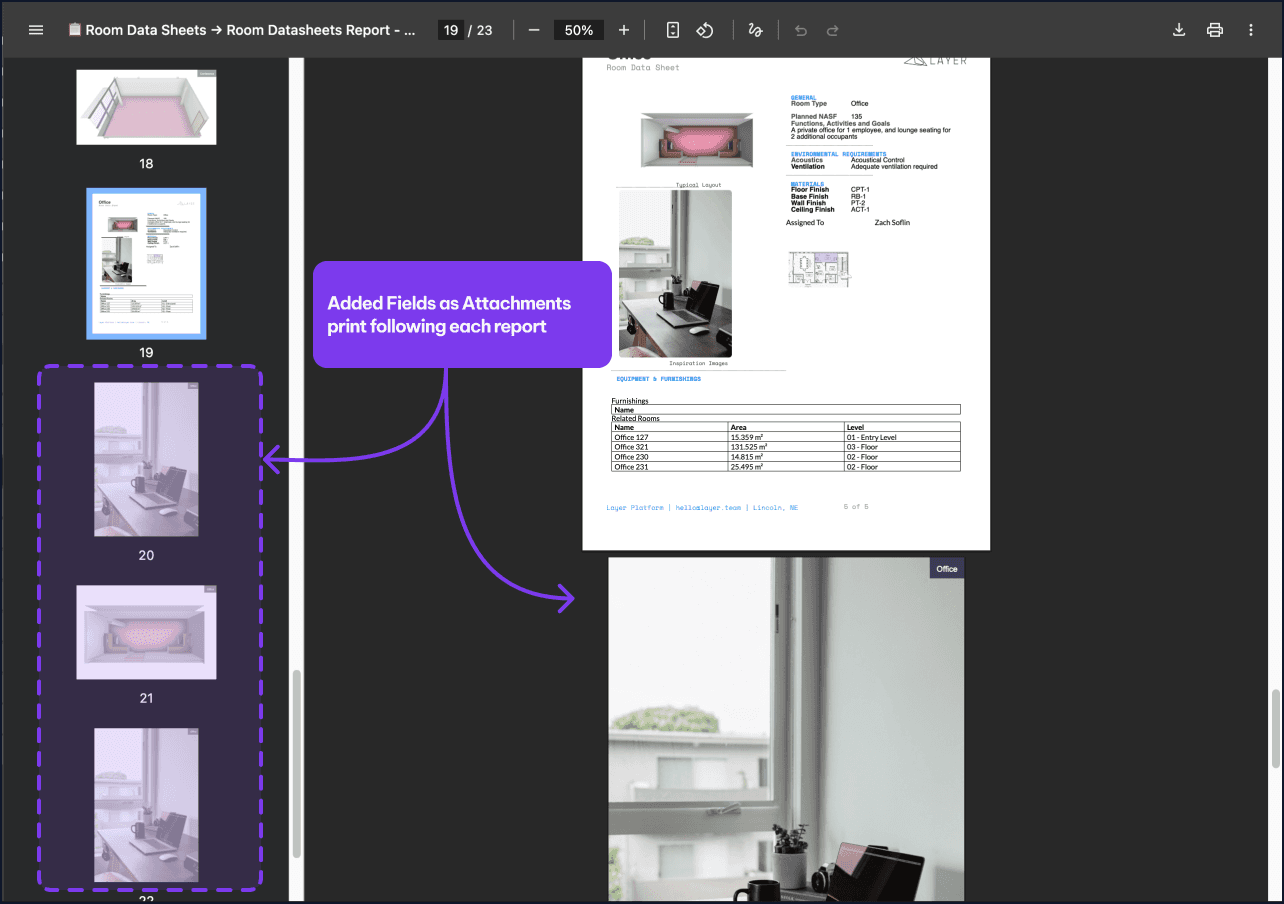
When the report exports, the main Document View content renders first, followed by every attachment in the order it is configured. The output is a single combined PDF.
Configuring attachments
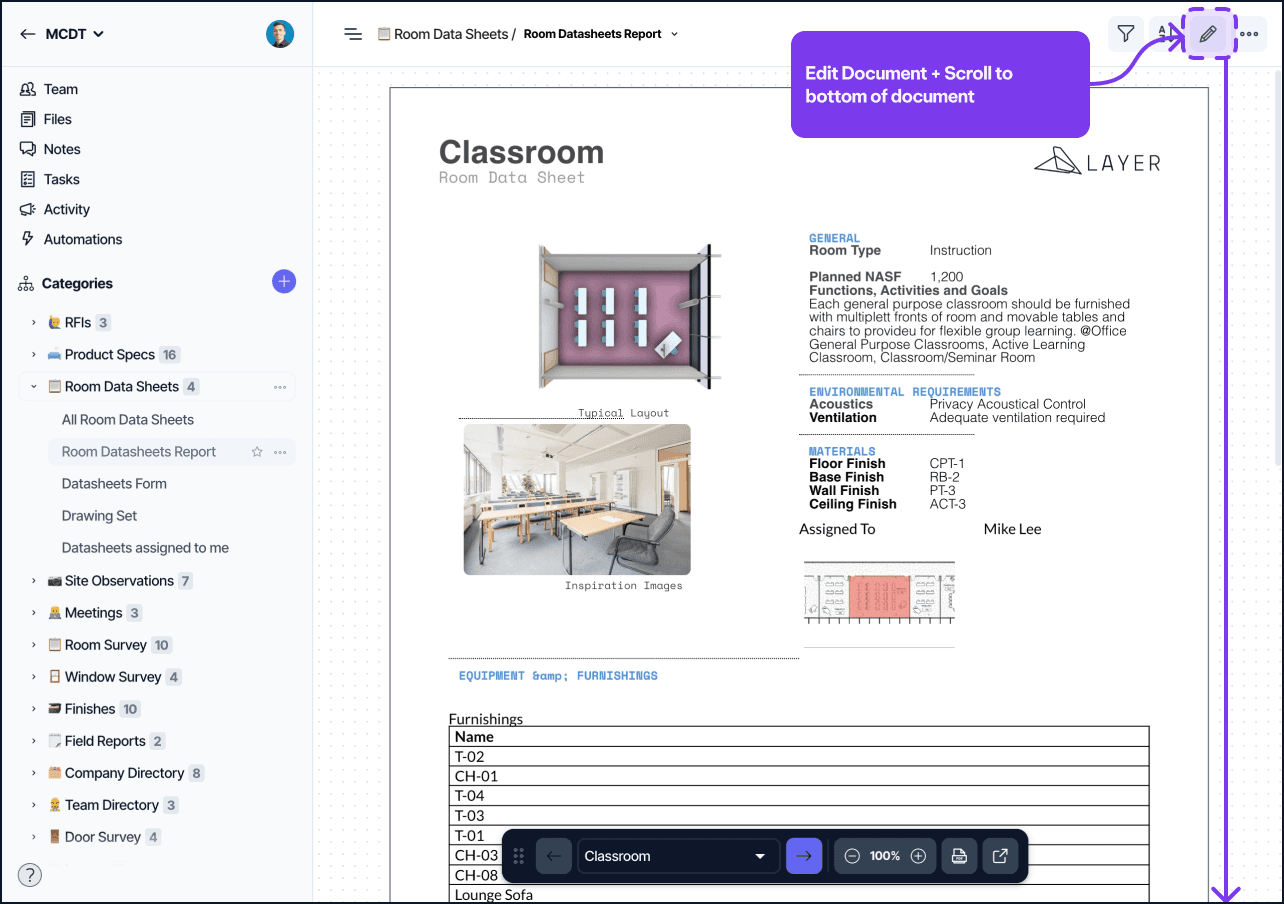
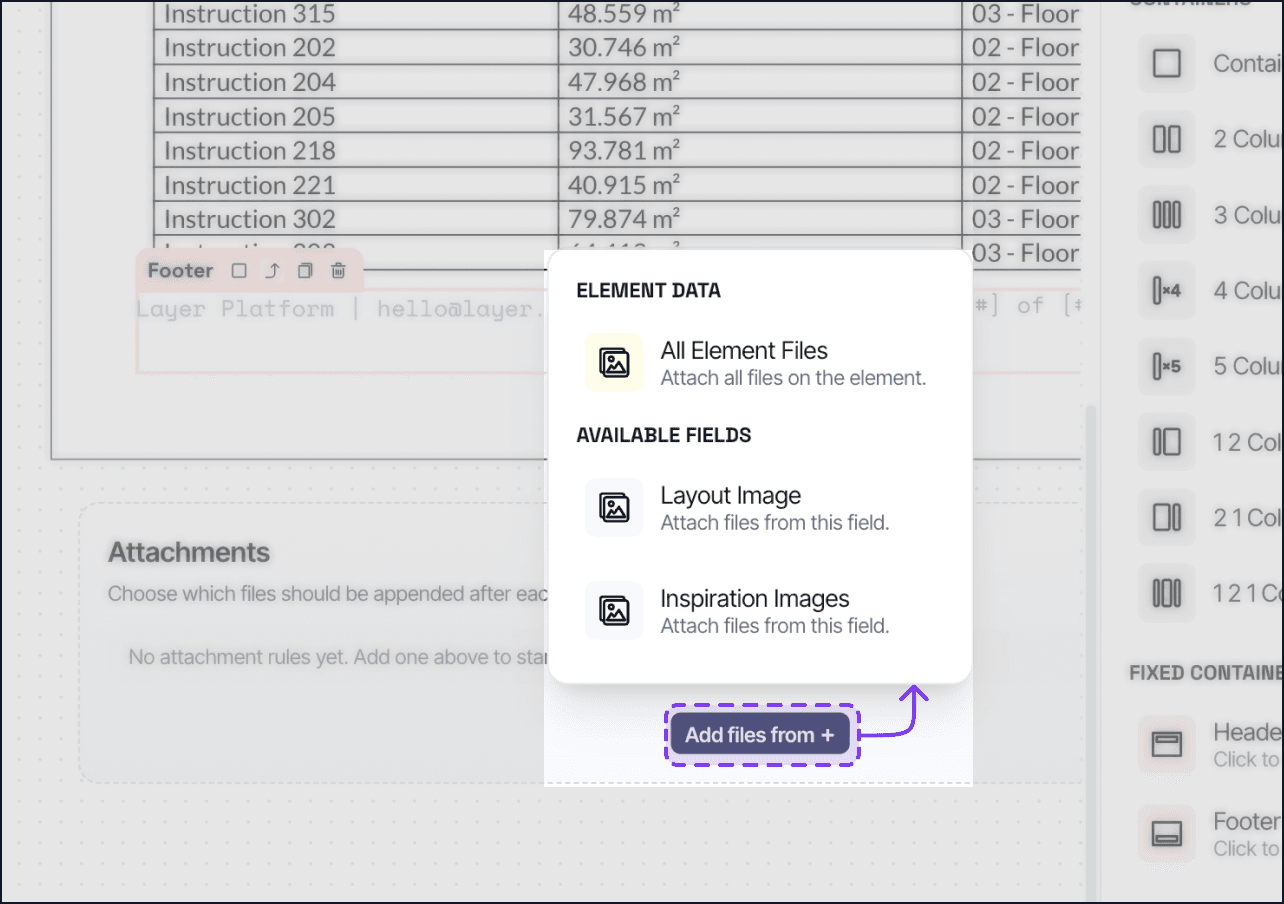
Open the Document View settings dialog and find the Attachments section. Add an attachment with two parts:
Source: a file field on the element (the file is pulled per element at export time) or a static file uploaded once.
Order: the position the attachment appears in the export, relative to other attachments.
Save the settings and publish the document. The next time you export the report, the attachments are included.
Per-element vs static attachments
A file field source produces a different attachment for each element. If you have a Cut Sheet PDF field on every product element, the export bundles each product's specific cut sheet.
A static source attaches the same file to every export. Use static attachments for company-wide cover pages, terms-and-conditions documents, and any file that does not vary by element.
Things to know
File types: only PDF files are appended in their native form. Images embedded in file fields render as image blocks in the main report rather than appended as attachments.
Page numbering: the combined PDF preserves page numbering of attached PDFs. The main report's page numbers do not continue into the attachments.
Element attachments missing: if a per-element attachment is configured but the field is empty, the export skips that attachment for that element rather than failing.