Layer's RFIs Template
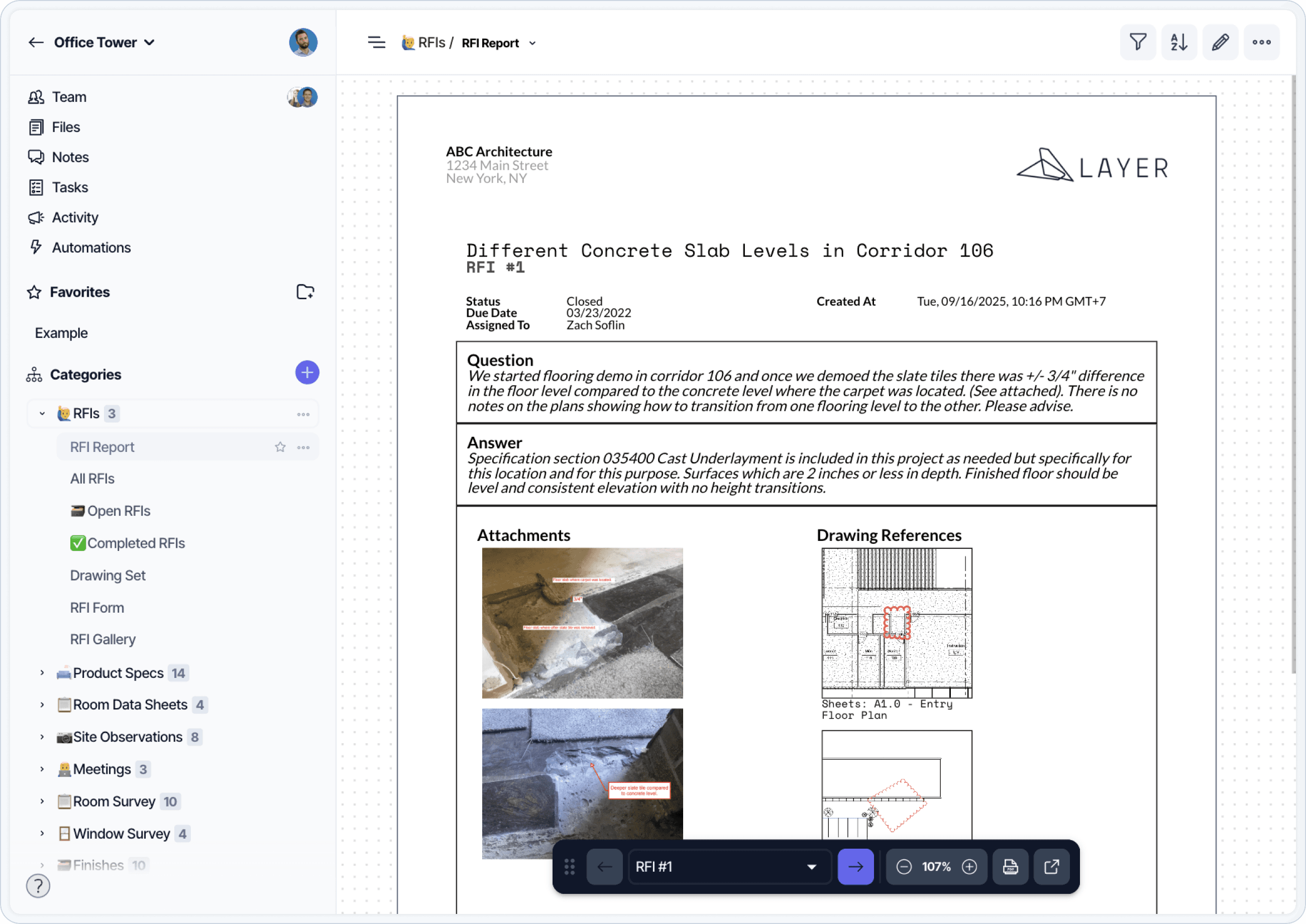
Layer's RFI template centralizes the request-for-information process for design and construction teams. RFIs are captured with text, photos, drawings, and references to specific model elements, so the question is rooted in its location from the moment it's filed. The Revit-side surfaces RFI status directly in the model — non-Revit users can review the same data through Layer's web and mobile views. Status, assignee, due date, and response history flow through filtered views, and a custom report template packages the full RFI log for owner records or specification compliance.
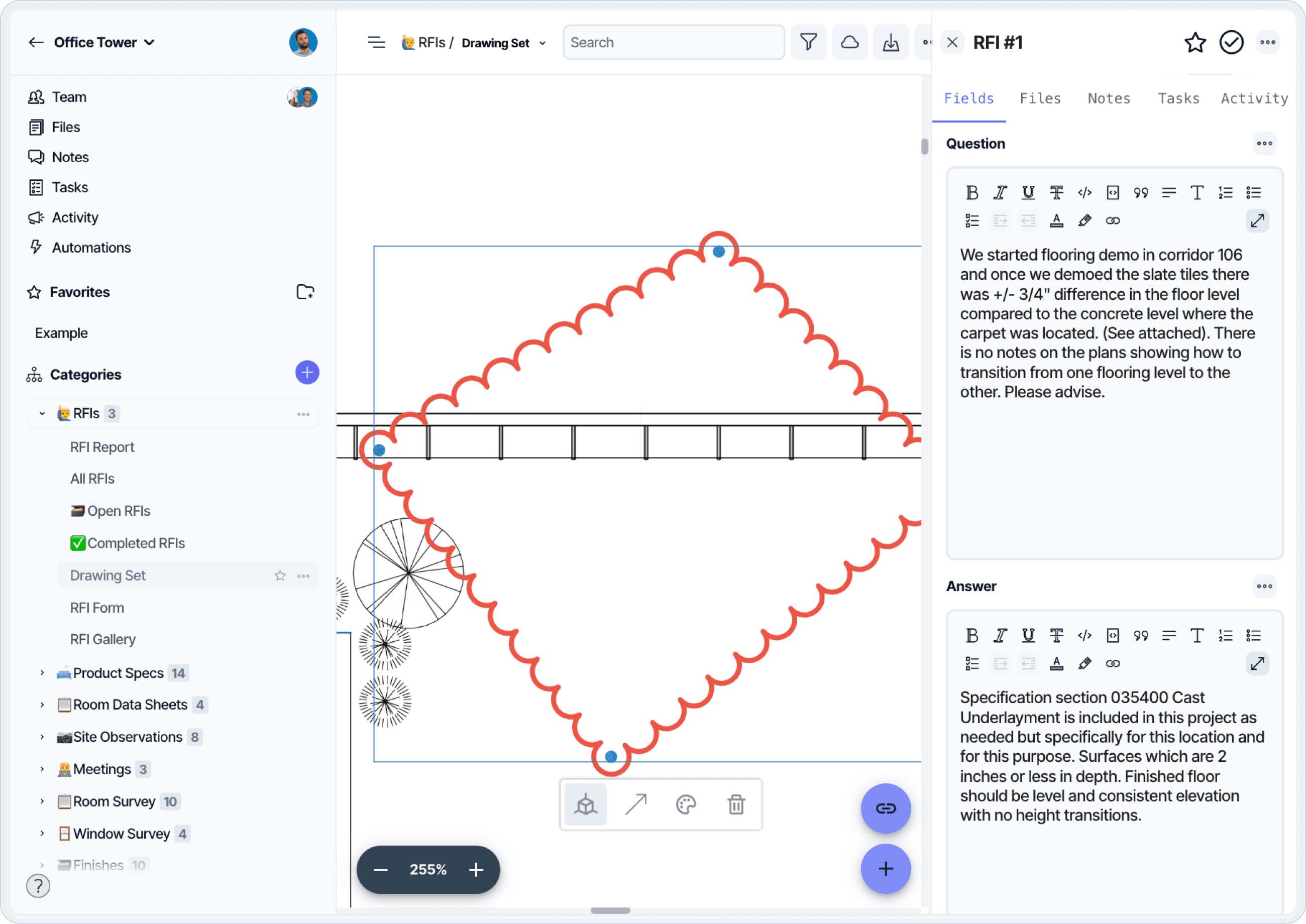
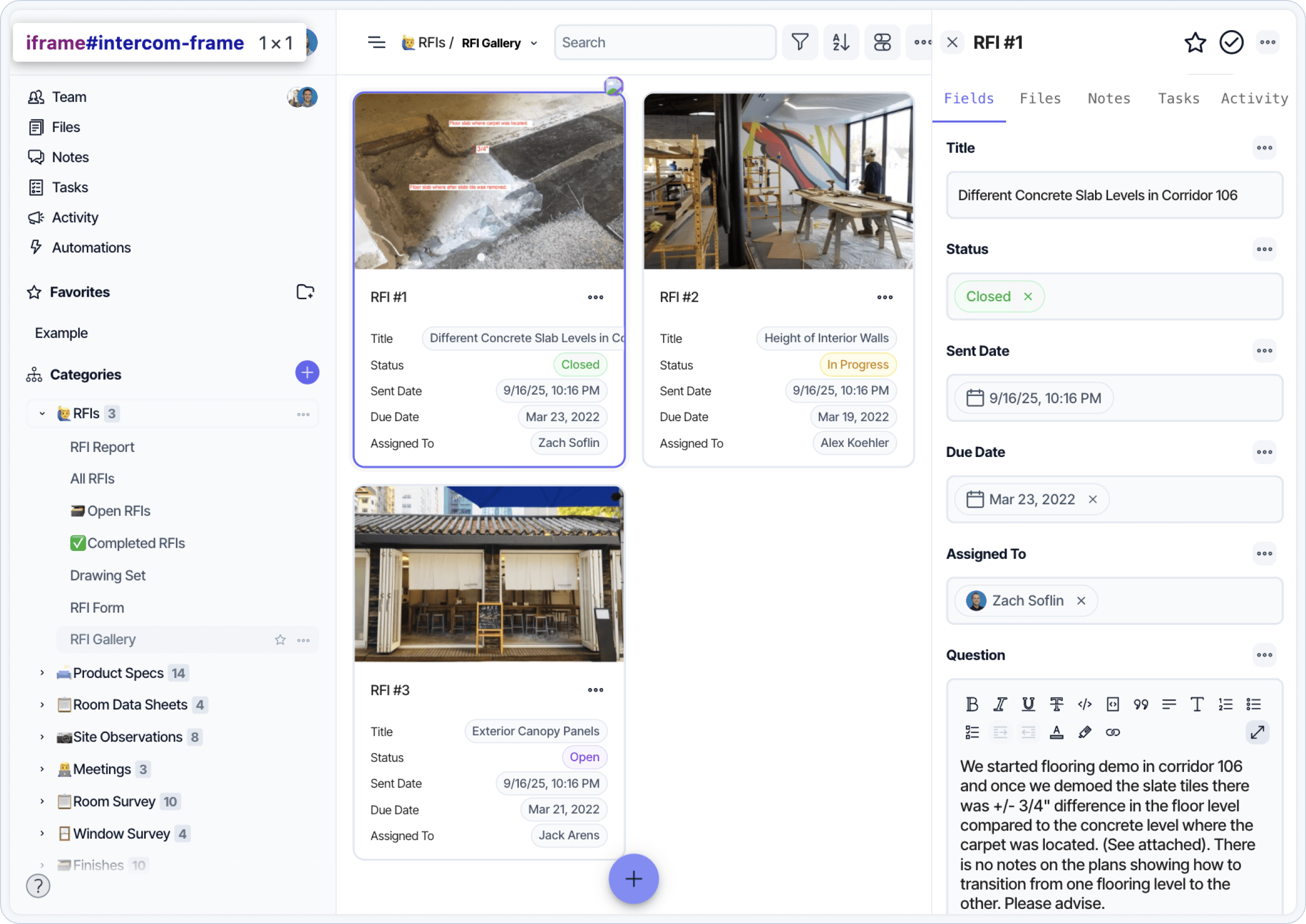
Reference field data that is linked directly to its location in the project or Revit model. Use filtered view types to manage and track RFI statuses.
Upload files like photos, drawings, and maps that can be marked up and shared with team members. Link assessment data to existing Revit elements and search and find field data without leaving Revit.
Summarize and package RFIs with our intuitive custom report builder. Create standard templates for everyone to use.