Construction Administration
The goal of the Construction Documents phase is to accurately and completely document all aspects of the design. The drawings produced during this phase are used to bid, permit and, ultimately, construct the project.


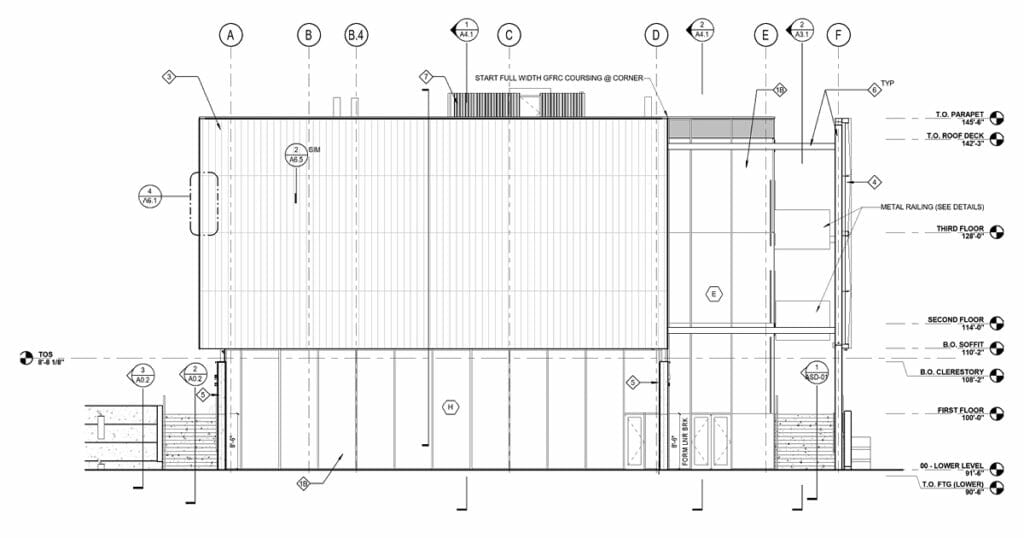
First, what is the Construction Documents Phase?
The goal of the Construction Documents phase is to accurately and completely document all aspects of the design. The drawings produced during this phase are used to bid, permit and, ultimately, construct the project.
The completion of construction documents requires intensive coordination across multiple disciplines. We suggest setting up coordination expectations early on during the Schematic or Design Development phase prior to entering Construction Documents.
Typically, the design is “locked” after the completion of DD. With this in mind, your focus during the CD phase is filling in any of the remaining gaps that might prove useful to bidders or contractors as they prepare to construct the building.
Manage the Proliferation of Information
At this stage, your Revit model is saturated with information. Your drawing set is rapidly filling up with drawings and annotations. Your specifications are taking shape.
As the primary consultant for the owner, the design and architecture team is responsible for folding in consultant work. This includes integrating Revit models from mechanical, electrical, plumbing, and structural engineers, and specifications from the interior design team.
Use Layer to supercharge your CD workflow
It is common for contractors responsible for bidding the project to request access to the model. This provides contractors with the opportunity to view the entirety of the building three-dimensionally and to verify material quantities. If they do not have access to Revit, you can share the Revit model through Layer.
As you crunch towards 100% CDs, here are some tips to work efficiently to meet your deadline:
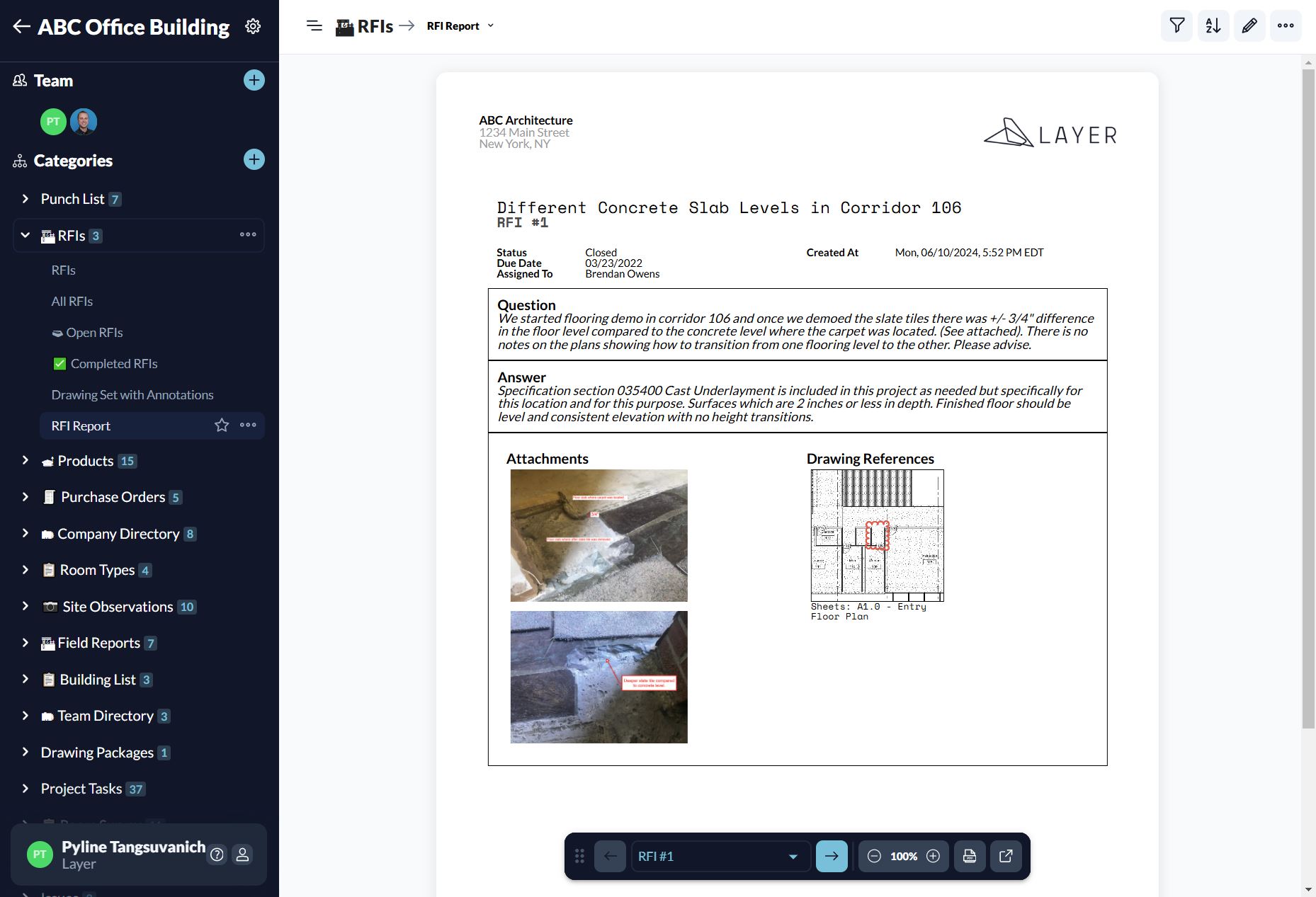
1. Connect your Builder’s RFIs to Revit
Create and store Requests for Information (RFIs) from the contractor linked directly to the Revit model. You can assign the RFIs to certain trades and track progress in one dashboard.
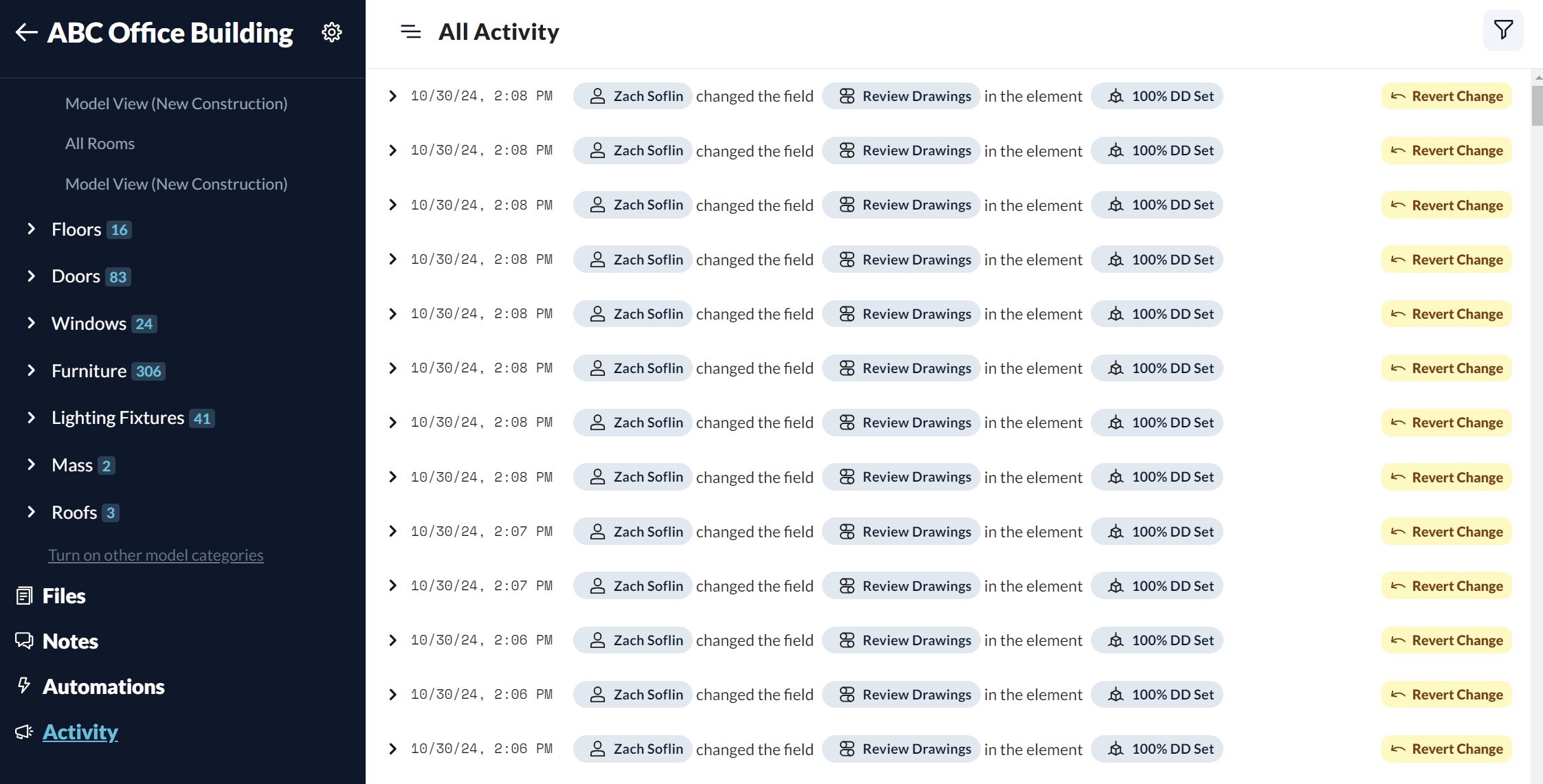
2. Manage multiple versions of your Revit model in Layer
When teams are working with multiple models from multiple disciplines, this produces multiple versions of the model. Keep track of changes by reviewing the change log. You can always go back in time to a previous version if needed.
3. Share an up-to-date set of drawings in Layer instead of email attachments
Static PDFs get attached and passed around all the time. “Which one is the latest” is often a question that comes up when reviewing files. Avoid that entirely by sharing the latest drawing set in Layer.
CD set courtesy of BVH Architecture.
Reach 100% CDs Faster
Once CDs are complete, the project is ready for permitting, bid, and construction. Smooth and accurate CD production sets the foundation for the construction process. Centralizing model versions, RFIs, and drawing sets in one place reduces administrative time and version-control errors.
Frequently Asked Questions
What is the Construction Documents phase?
The Construction Documents (CD) phase is the fourth phase of the architectural design process, following Design Development. The goal is to accurately and completely document all aspects of the design. The drawings produced are used to bid, permit, and construct the project.
What is included in a Construction Documents set?
A typical CD set includes architectural drawings (plans, sections, elevations, details), structural drawings, MEP drawings, civil drawings, schedules (door, window, finish, equipment), specifications, and supporting documents. The set is stamped and signed by licensed architects and engineers.
How long does the Construction Documents phase take?
CD timing depends on project complexity. A small commercial project may complete CDs in 6-10 weeks. A large institutional or commercial building can spend 4-6 months in CDs, including coordination with structural and MEP consultants and final code reviews.
When is the design “locked” during the project?
The design is typically locked at the end of Design Development. During CDs, focus shifts to documentation rather than design changes. Late design changes during CDs increase the risk of inconsistency between drawings, schedules, and specifications.
How do contractors access the Revit model during bidding?
It is increasingly common for contractors to request Revit model access during bidding so they can verify quantities and view the building in three dimensions. The model can be shared as a native Revit file, an IFC export, or through a viewer that displays the model without requiring Revit licenses.
What is the difference between a permit set and a construction set?
A permit set is the package submitted to the local authority having jurisdiction (AHJ) for code compliance review and permit issuance. A construction set provides contractors with detailed instructions for construction. Some projects issue a single combined set; others issue them separately.
How does the Revit model evolve during Construction Documents?
During CDs, the Revit model becomes fully saturated with information. Walls, floors, doors, windows, light fixtures, finishes, and equipment all contain detailed properties. The model generates 2D drawings, schedules, and tables. By the end of CDs, the model represents the complete bid and construction package.
Further Resources
The Architectural Design Process Explained. Where the CD phase fits within the five phases.
Everything You Ever Wanted to Know About Construction Documents. The full CD reference: types, purpose, best practices, and QA/QC.
Streamline the Design Development Phase with Revit and Data Integration. The preceding phase that sets up the CD package.
The Architect’s Guide to Construction Administration. The next phase, where CDs are referenced and amended.
Architectural Specifications Explained. The specifications portion of the CD set.
The Door and Window Schedule Process Explained. Schedule documentation included in CDs.
The Ultimate Guide to How to Specify Door Hardware. Door hardware specification is finalized in CDs.
The Complete Guide to RFIs in Construction Administration. RFIs frequently arise from gaps in CDs during construction.
How to Close Out a Revit Model During Construction Administration. What happens to the CD model after construction.
Construction Administration Workflow Template in Layer. For tracking CD changes during the CA phase.