Feature reference for the Layer iOS and Android apps, including offline support, photo capture, push notifications, and barcode scanning.

Josh Puppe
The Layer mobile app gives field teams access to projects, elements, and views away from a desk. This article is the feature reference for the iOS and Android apps and outlines what they support relative to the browser version.
For installation and basic device support, see Supported Devices.
Apps
iOS: search for Layer Platform in the Apple App Store.
Android: install from Google Play.
You can also use Layer in a mobile browser. Functionally it is similar to the Android app.
Offline support
The mobile app works offline. Open the project before going offline and Layer caches the project's data on the device. While offline you can:
Browse cached elements.
Edit field values, add notes, and create tasks (changes save locally).
Take photos and attach them to elements.
Drop annotations on Drawing Views.
When the device reconnects, local changes sync to the cloud automatically. See Using Layer Offline for the full sync behaviour and Tips for Using Layer in the Field for best practices.
Photo capture
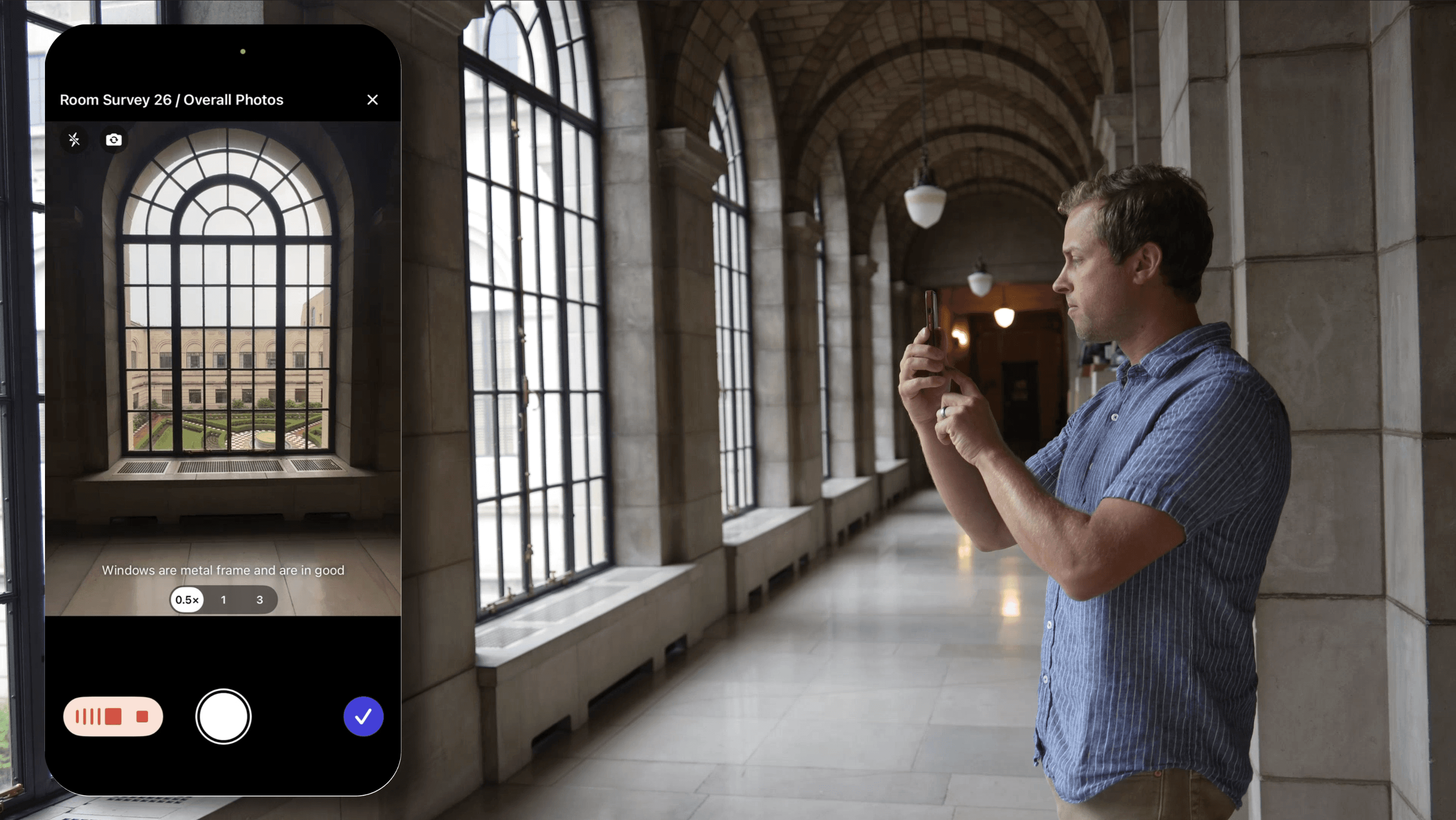
The app captures photos directly into a File field. Tap a File field, choose Take Photo, and the device camera opens. The captured photo is attached and (on iOS) also saved to the camera roll.
Photos taken offline are queued locally and uploaded once the device reconnects. The Files section shows queued uploads with a sync indicator.
Rebuilt iOS camera
The iOS camera was rebuilt for faster, more reliable capture on site. From the camera you can:
Capture several photos at once in a single flow, instead of taking them one at a time.
Mark up a photo with annotations right after you capture it.
Narrate a caption by voice instead of typing it.
Each photo is attached to the element you are working on, so it lands in Layer connected to the right record, not only in the camera roll.
Drawing View annotations
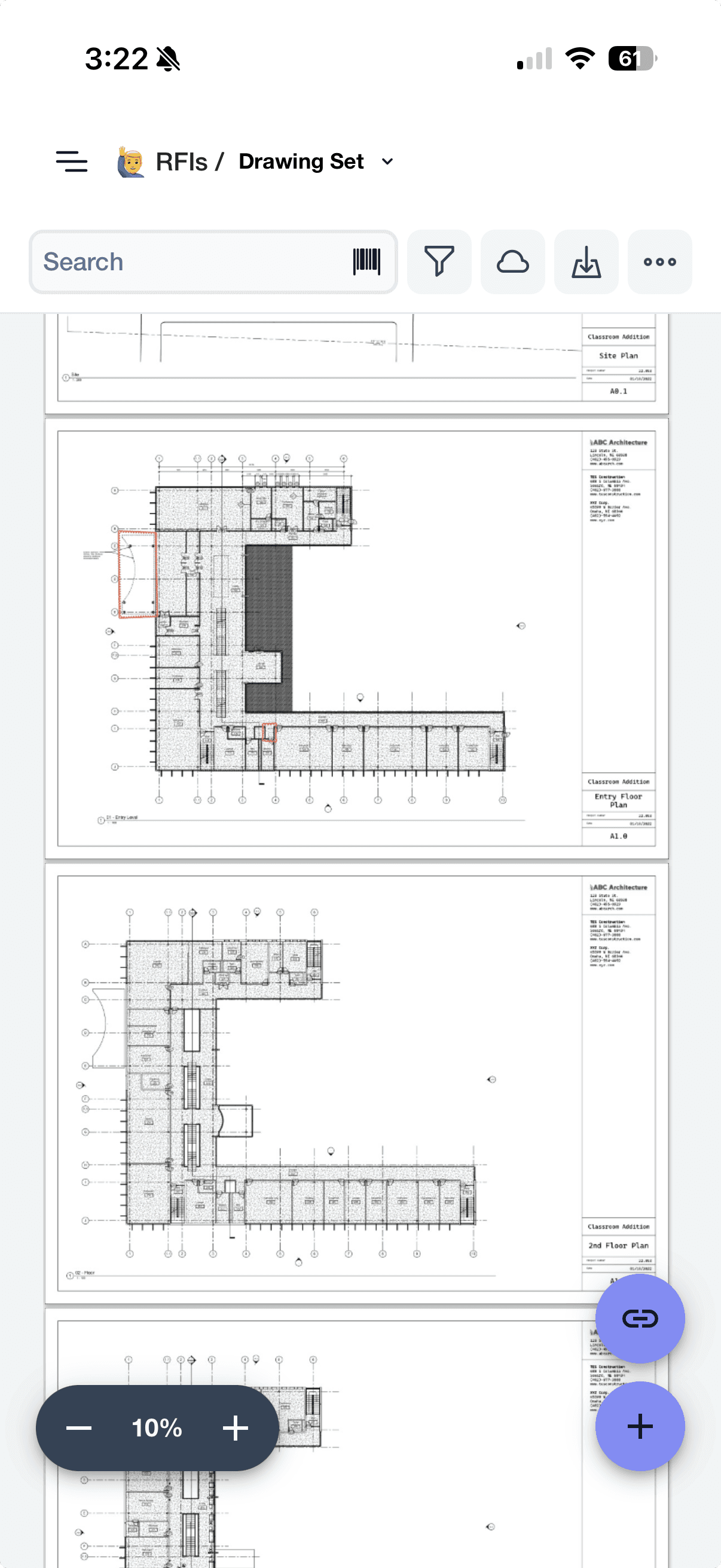
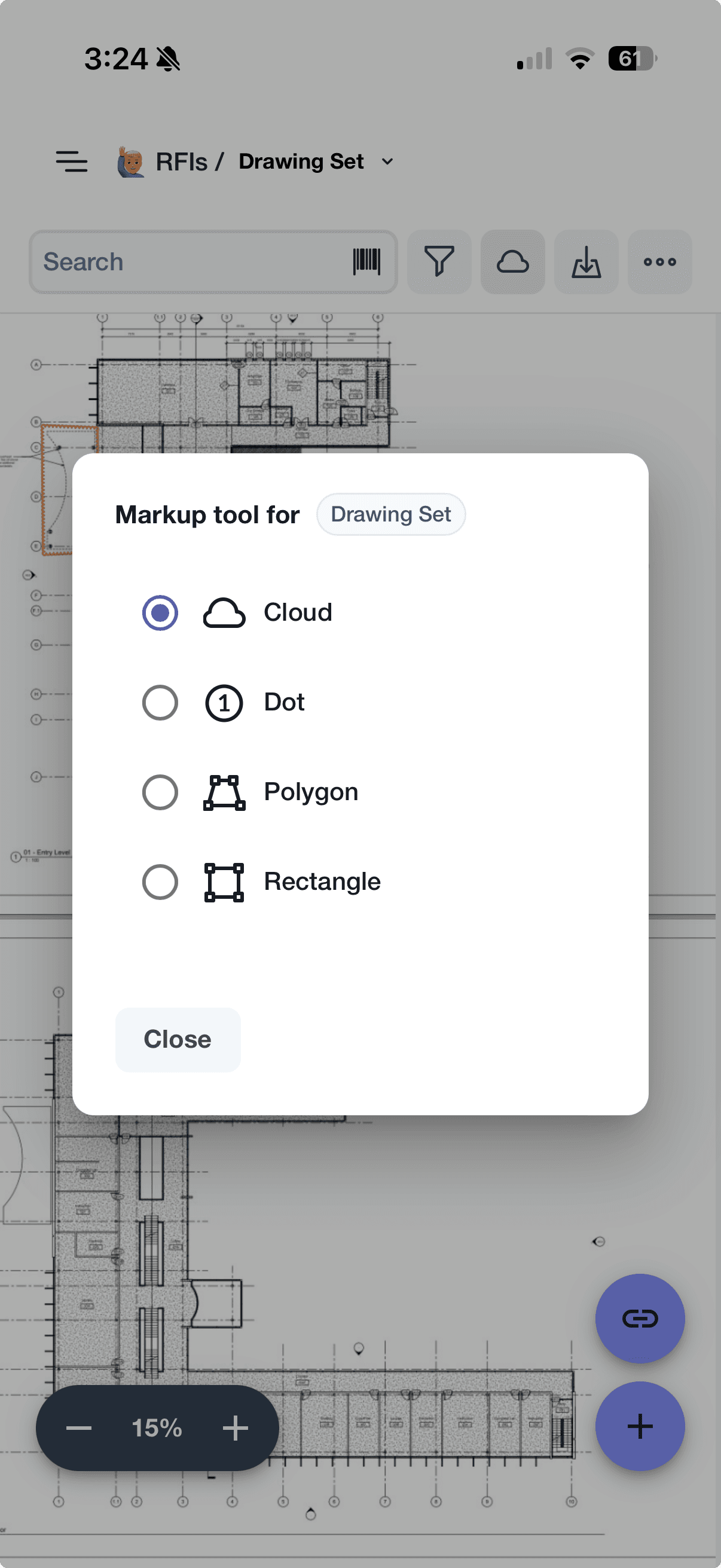
The app supports placing annotations on Drawing View PDFs. Pan, zoom, and tap to drop a Dot, Cloud, Polygon, or Rectangle annotation. Annotations link to elements just like in the browser version.
When working offline, annotations show a placeholder mark (X) until the device reconnects and the unique element number is generated. After sync, the placeholder is replaced with the assigned number.
Push notifications
The iOS and Android apps support native push notifications. Enable them when prompted at sign-in, or grant permission in your device's notification settings. See Notifications for the full set of events that can trigger a push.
If push stops working on Android, see the troubleshooting steps in Supported Devices.
Barcode scanning
The iOS app includes barcode scanning. Open a Barcode field and tap the camera icon to scan. The scanned value is recorded as the field value.
The mobile search bar also includes a barcode icon. Scan a code from search to find every element with that barcode value across the project.
Android does not currently support barcode scanning. Use the iOS app for barcode workflows.
Differences from the browser version
The mobile app supports most browser features but with the following differences:
Feature | iOS app | Android app | Browser |
|---|---|---|---|
Offline mode | Yes | Yes | Yes |
Photo capture saves to camera roll | Yes | No | No |
Barcode scanning | Yes | No | No |
Push notifications | Native | Native | Browser-only when tab is open |
Document View editing | No | No | Yes |
Drawing View viewing | Yes | Yes | Yes |
Drawing View annotation editing | Yes | Yes | Yes |
Bulk edit | No | No | Yes |
Automations management | No | No | Yes |
Document View export | Yes | Yes | Yes |
Browser push works only when Layer is open in a tab. Native app push works regardless of whether the app is open.
Things to know
Updates are delivered via the App Store or Google Play. The app version appears in the user profile menu.
Sign-in uses the same Google, Microsoft, or email-and-password options as the browser. See SSO and Sign-in Options.
Reduced functionality offline is the cost of working without a connection. See the limitations in Using Layer Offline before relying on the app for critical field work.