Architectural Design
In this article, you'll learn about the five phases of the architectural design process and tips for bringing client projects to success.

My tips for a successful architectural project through the lens of each design phase.
Are you a building owner looking to engage an architect? Or perhaps you're new to the profession or curious about how to streamline the process for your clients? Here's a brief guide to help you understand the who, what, and how of the architectural design process. It’s a complex and long process, so we’re here to provide tips along the way!
1. Pre-Design Phase
The initial phase of the architectural design process is known as Pre-Design or Programming.
The primary goal of this phase is to understand the project constraints. You will evaluate and study the project site. For a renovation, this will include site visits to document a space’s existing conditions. For new construction, this will include a visit to the property or piece of land.

An architect on a Pre-Design site visit, documenting existing conditions before design begins.
It’s important to understand the applicable zoning ordinances or restrictions pertaining to the development of the project. Permitting is a tricky phase that involves collaboration with local jurisdictions. Understanding a town or city’s requirements early can prevent unexpected hiccups down the line.
Some typical deliverables you’ll create and acquire include:
Site Survey (showing topographic information, existing structures, utilities, etc.)
Geotechnical Report
Zoning & Preliminary Building Code Analysis
Program & Project Scope Verification Document (aka Room Data Sheet)
You can use a tool like Layer to keep track of existing site conditions. To dive deeper, click here to learn how to simplify Pre-Design with Layer.
2. Schematic Design Phase
The primary goal of the Schematic Design phase is to identify the general character of the building and its systems.

Early concept sketches developed during Schematic Design. Multiple options are explored before a single direction is chosen.
You’ll ideate on a concept by creating a series of sketches, physical models, initial renderings and set of drawings of the building. These drawings help the design team to communicate how different spaces might be configured within the building, how the building might sit on the site, and how the building might look and operate.
You likely won’t be presenting a single concept, but multiple design configurations throughout this process.
During Schematic Design, you’ll create documents such as:
Site Plan
A site plan shows the relationship between the building and its surrounding context. It includes elements like property lines, access roads, sidewalks, topography, landscaping, and adjacent buildings to help evaluate orientation, circulation, and zoning constraints.
Building Elevations (Exterior Elevations)
These are drawings of each side of the building, showing exterior finishes, window placement, door openings, and overall proportions. Elevations are critical for understanding the proposed aesthetic and massing of the building from the outside.
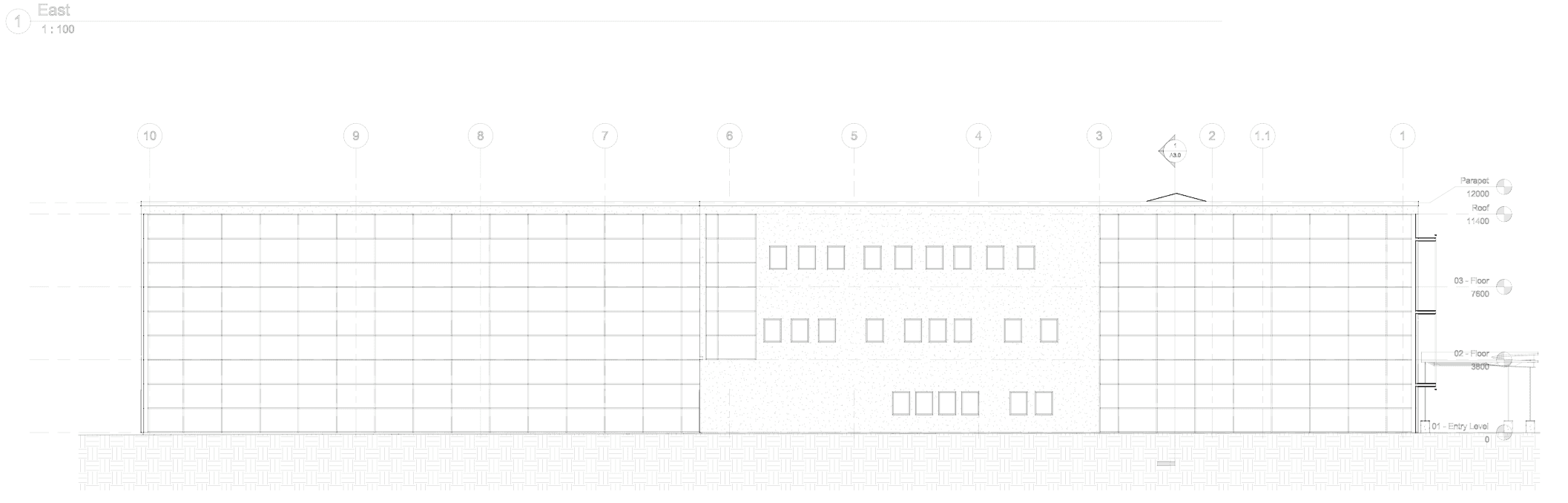
A schematic building elevation. Elevations communicate exterior finishes, openings, and overall proportions.
Floor Plans
Floor plans provide a horizontal section of the building, showing walls, doors, windows, rooms, and circulation paths. These drawings help communicate space layout, square footage, and the functional flow of the design.
Room data sheets document the specific requirements and characteristics of each space, such as finishes, dimensions, furniture, equipment, and environmental needs. These are often used for coordination with consultants and during early programming decisions.
Schematic 3D Renderings
Early 3D visuals of the building are produced using tools like Revit, Enscape, or SketchUp. These renderings help stakeholders understand the overall form, materiality, and massing of the building before detailed design begins.
Building System Narratives (Structural, Mechanical, Electrical, and Plumbing)
These are brief descriptions of how major systems will function in the proposed design. They outline the basic approach for structural support, HVAC distribution, power and lighting systems, and plumbing layouts without committing to specific equipment yet.
Initial Estimate of Cost
This document provides a preliminary cost projection for the proposed design. It’s based on unit costs, building area, and known programmatic requirements, helping the owner assess financial feasibility before progressing into more detailed design phases.

Room data sheets organized in Layer to track requirements and finishes by room.
You can use a tool like Layer to organize all of your design concepts. To dive deeper, click here to learn how to simplify Schematic with Layer.
3. Design Development Phase
During Design Development, you will finalize the overall character of the project and to ensure that the project can be realized at the quality and cost anticipated.
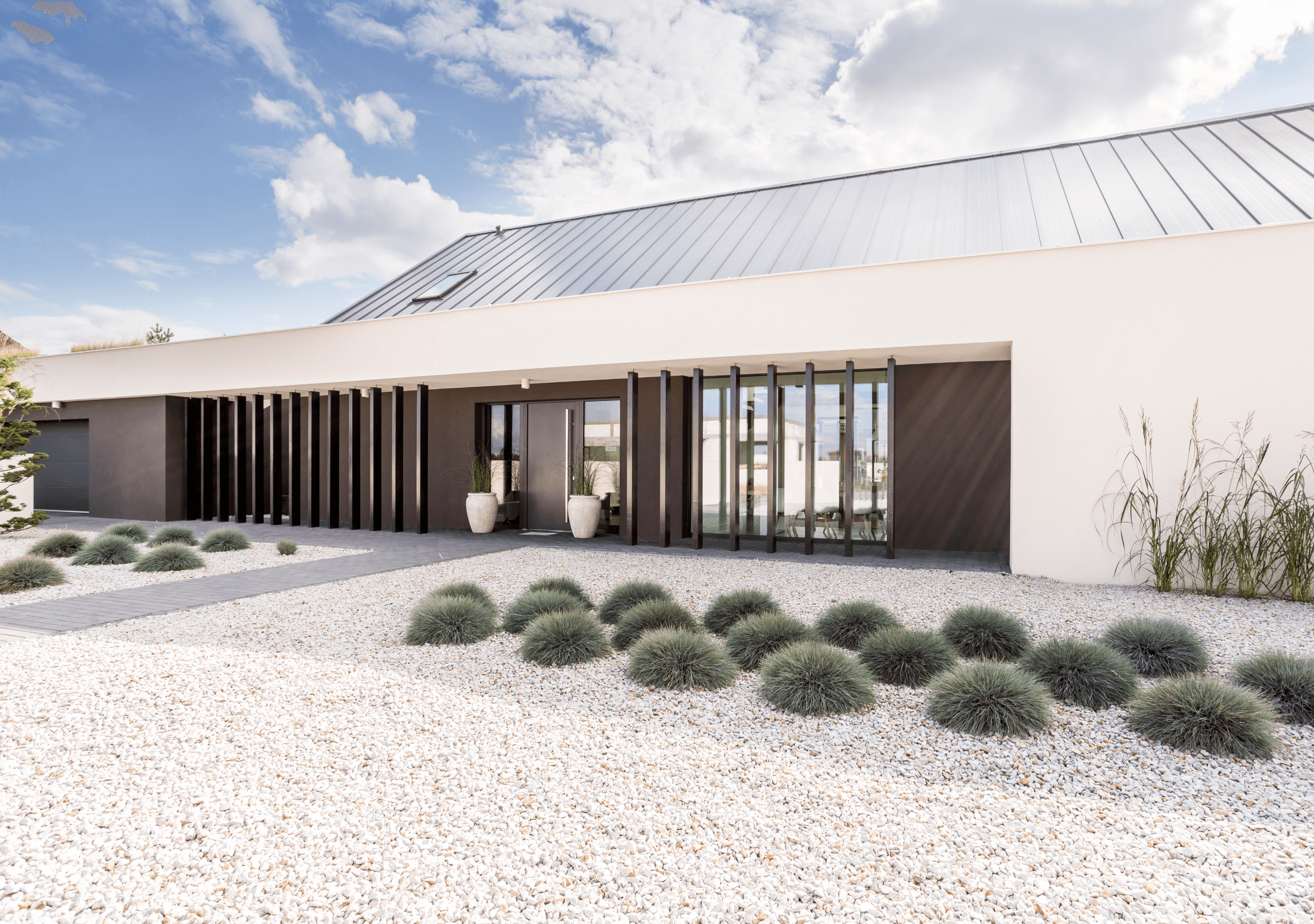
An interior rendering produced during Design Development. Renderings help align stakeholders on materials, lighting, and overall character.
Your goal is to produce detailed drawings and a preliminary set of specifications that outline the size, shape, and character of every component of the project. In addition to solidifying the size and location of all rooms, you and the design team will assemble the building’s exterior materials, interior finishes, and all furniture, fixtures, or equipment (FF&E).
Typical deliverables provided at the conclusion of Design Development:
Site Plan, Floor Plans, Interior/Exterior Elevations, Sections, and Reflected Ceiling Plans
Updated Interior and Exterior Renderings
Structural, Mechanical, Electrical, Plumbing, and Special Systems Drawings
Project Specifications and Materials List
Updated Estimate of Cost
Read more about streamlining Design Development with Layer →
4. Construction Documents Phase
The goal of the Construction Documents phase is to accurately document all aspects of the design in a comprehensive set of drawings. You will use these drawings to request bids from builders.

A complete construction documents set being prepared for bid. CDs consolidate every drawing and specification needed to build the project.
Most of the Construction Documents phase involves filling in any of the remaining gaps in information that might prove useful to bidders or contractors as they prepare to construct the building. As a result, this requires intensive coordination across multiple disciplines and multiple members of the design team.
You and your team might be responsible for sending a final copy of drawings and specifications to the local permitting authority for review and approval.
Typical deliverables that you’ll create during the Construction Documents phase include:
Complete Construction Drawings and Specifications
Final Estimate of Cost
Architect’s Supplemental Instructions (ASIs) and Addenda (Typically produced during early bidding periods)
Revit Model or CAD File
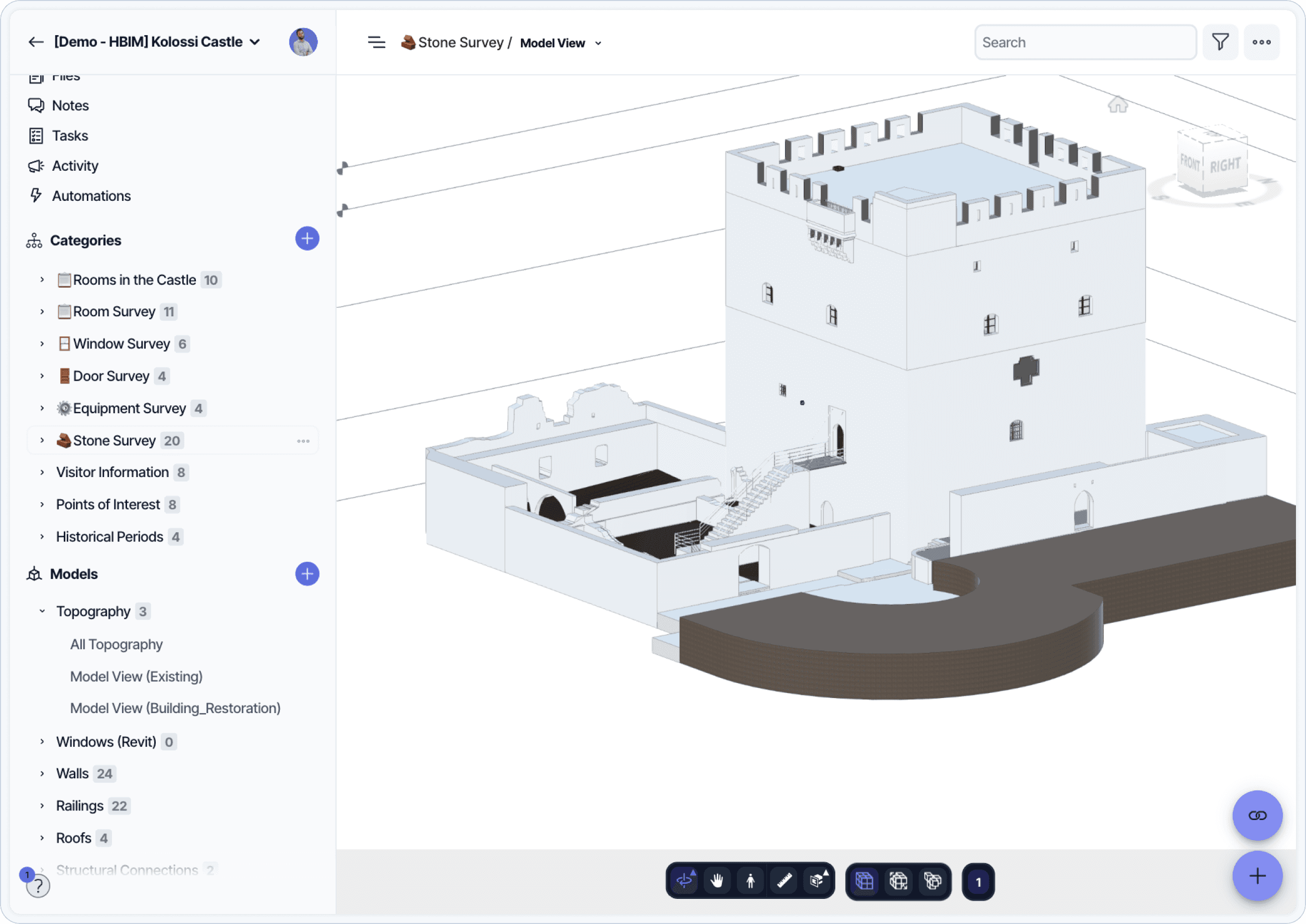
A detailed Revit model used to document existing and proposed conditions. The BIM model carries the construction documents.
Read more about how Layer helps during the Construction Documents Phase →
5. Construction Administration Phase
After the local municipality approves your drawing set, then construction begins and the project enters Construction Administration. The goal of the Construction Administration phase is to ensure that the project is built according to the intent outlined in the drawing set.
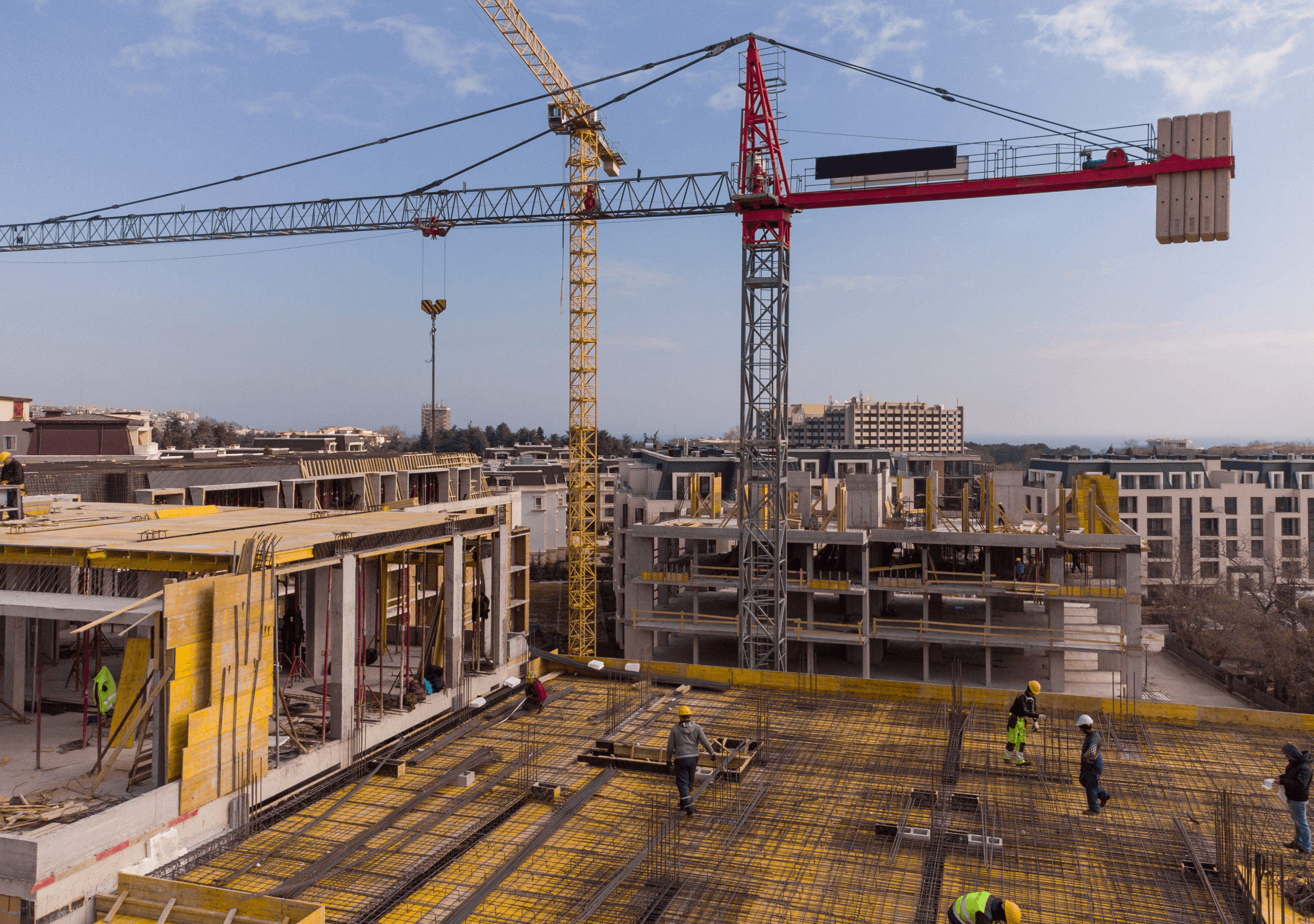
A site visit during Construction Administration. Periodic visits confirm the work matches the design intent.
You won’t be actively on the job site everyday, but you will be periodically corresponding with the builder and their subcontractors to ensure construction is progressing smoothly. You’ll likely issue supplemental drawings throughout the process to address questions that might arise during construction.
Once construction is complete and all required inspections are performed, the owner is provided a Certificate of Occupancy allowing them to occupy and utilize the building.
Typical deliverables provided at the conclusion of the Construction Administration phase:
Requests for Information (RFIs) and Architect’s Supplemental Instructions (ASIs)
Proposal Requests (PRs) and Change Orders
As-Built Set of Construction Drawings
All Product/Equipment Warranties and Maintenance Manuals
Certificate of Occupancy
Architect’s Field Reports (AIA G711, or similar)
Application and Certificate for Payment (AIA G702 and G703, or similar)
Final Punch List
Certificate of Substantial Completion (AIA G704, or similar)
Revit Model
Read more about Construction Administration→
Keep your Architecture Projects Organized
The phases outlined above provide a general picture of a typical architectural design process.
Regardless of how a specific project might play out, the general framework of the architectural design process allows design teams to successfully map out and track the delivery of each project and centralizing your design project data in a single place will save you time looking for data, leaving more time for design.
Frequently Asked Questions
What is architectural design?
Architectural design is the process of planning, designing, and documenting the physical form, function, and systems of a building. It typically follows five phases: Pre-Design, Schematic Design, Design Development, Construction Documents, and Construction Administration. Each phase produces specific deliverables that move a project from initial site analysis through to occupancy.
What are the 5 phases of architectural design?
The five phases are Pre-Design (also called Programming), Schematic Design, Design Development, Construction Documents, and Construction Administration. The American Institute of Architects (AIA) standardized these phases in its contract documents.
How long does the architectural design process take?
Timing varies by project complexity. A small renovation may complete the design phases in three to six months. A large commercial or institutional building can spend twelve to twenty-four months in design before construction begins.
What is the difference between Schematic Design and Design Development?
Schematic Design explores multiple concepts and tests how the building could fit on the site and meet program requirements. Design Development narrows to a single approved direction and adds the detail needed to coordinate consultants, finalize finishes, and prepare for construction documentation.
What deliverables does an architect produce?
Common deliverables include site analysis, programming documents, schematic drawings and renderings, design development drawings, finish and material schedules, FF&E specifications, complete construction documents, and during construction: RFIs, submittal reviews, change orders, and as-built drawings.
When does an architect engage with the building permit process?
Most architects begin permitting research during Pre-Design and submit a permit application during or after Construction Documents. Local jurisdictions vary, but coordinating early with the permitting authority avoids costly redesign later.
Who is involved in the architectural design process?
Beyond the architect, projects typically involve owners, structural engineers, MEP consultants, civil engineers, interior designers, landscape architects, lighting designers, code consultants, contractors, and the local jurisdiction. Larger projects add specialty consultants for facade, acoustics, security, and IT.
Further Resources
The Architect’s Guide to Project Kickoff. Pre-design coordination and aligning the project team before design begins.
4 Strategies for Simplifying the Pre-Design Phase. Practical methods for collecting and organizing site information.
Schematic Design Phase and Evolving the Revit Model. How the Revit model develops during Schematic Design.
Design Development Phase and Coordinating Around the Revit Model. Coordinating consultants and detail work during Design Development.
Construction Documents Phase and Preparing the Revit Model for Bid. Final documentation and bid preparation.
The Architect’s Guide to Construction Administration. The CA phase from the architect’s perspective.
How to Close Out a Revit Model During Construction Administration. Closing out the BIM model and preparing for owner handover.
The Architect’s Guide to Project Handoff. Closeout deliverables and the transition from construction to occupancy.
The Interior Design Process Explained. The parallel process for interior design, with detailed FF&E and finish documentation.